
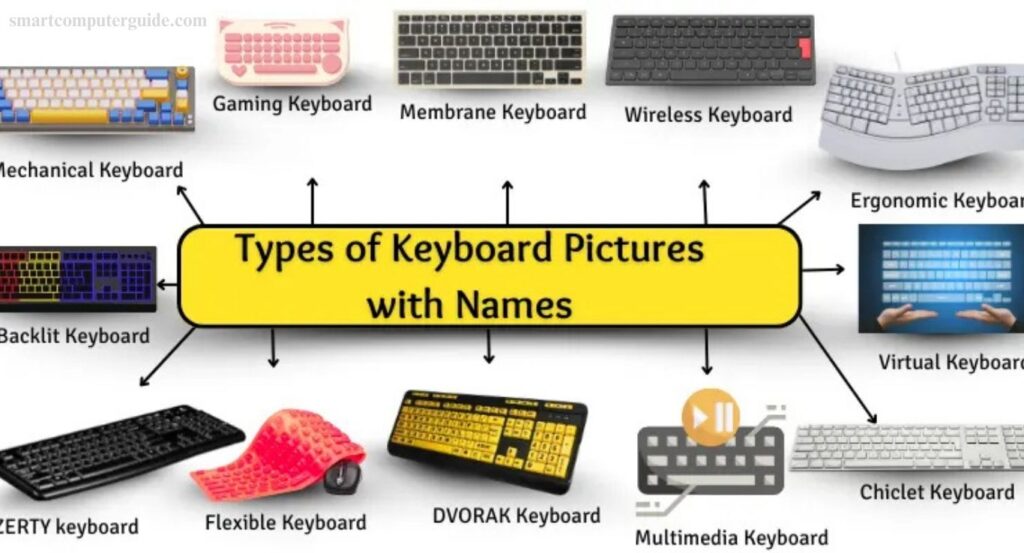
Keyboards come in many styles, each designed for different needs. Some are soft and quiet, perfect for office work, while others are loud and clicky, ideal for gaming. Many gaming keyboards even feature colorful lights for an enhanced experience. They allow us to type letters, numbers, and symbols efficiently, supporting activities like schoolwork, gaming, and chatting with friends.
This guide explores various keyboard types in simple, easy-to-understand language, with clear examples, features, and images. By the end, you’ll know how to choose the keyboard that fits your typing style, tasks, and personal preferences.
Read More: What is Mechanical Keyboard? A Simple Guide for Beginners
What are the types of keyboards?
A keyboard is an essential device for typing letters, numbers, and special commands on a computer. Keyboards come in many types, each designed for a specific purpose, from office work to gaming. Some are quiet and compact, while others are mechanical and clicky. This guide introduces the most common keyboard types, complete with clear pictures and examples. Understanding the different options helps you choose the right keyboard for your needs, whether it’s for work, school, or gaming.
12 Different Types of Keyboards
Keyboards come in various shapes and styles, each designed for a specific purpose. Here are 12 common types of computer keyboards:
- Mechanical Keyboard
- Membrane Keyboard
- Wireless Keyboard
- Ergonomic Keyboard
- Gaming Keyboard
- Virtual Keyboard
- Flexible Keyboard
- DVORAK Keyboard
- Multimedia Keyboard
- Chiclet Keyboard
- Backlit Keyboard
- AZERTY Keyboard
Let’s explore each keyboard type in detail, including features, advantages, and best use cases to help you choose the right one.
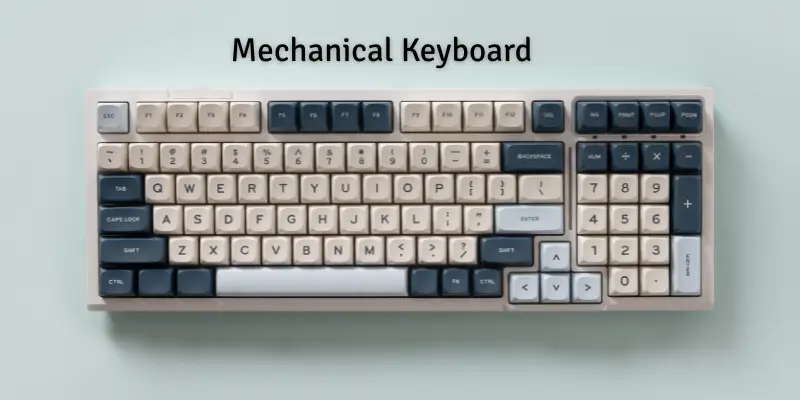
1. Mechanical Keyboard
Mechanical keyboards feature individual switches under each key, providing smooth, precise, and reliable typing. They are durable and built to last, making them a favorite among gamers, programmers, and fast typists.
Key Features:
- Individual switches under every key
- Long-lasting and durable
- Fast, accurate typing
- Clicky sound when pressed
- Ideal for gaming and heavy typing
Common Uses:
- Gaming
- Programming and coding
- School or office typing
Popular Examples:
- Corsair K95: Durable keys with customizable RGB lighting.
- Logitech G Pro: Compact, fast, and perfect for gaming or quick typing.
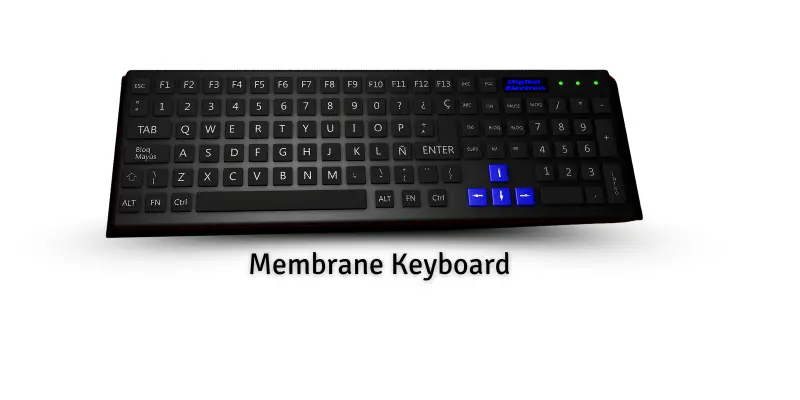
2. Membrane Keyboard
A membrane keyboard features soft, quiet keys with a thin layer beneath them. Pressing a key pushes this layer, sending signals to the computer. Its simplicity and ease of use make it popular for schools, offices, and home use.
Features:
- Soft and quiet typing
- Easy to clean
- Affordable and lightweight
- Simple design ideal for daily use
Uses:
- School assignments and homework
- Office work and data entry
- Casual home computer use
Examples:
- Dell QuietKey – smooth and silent typing
- Logitech K120 – budget-friendly and reliable
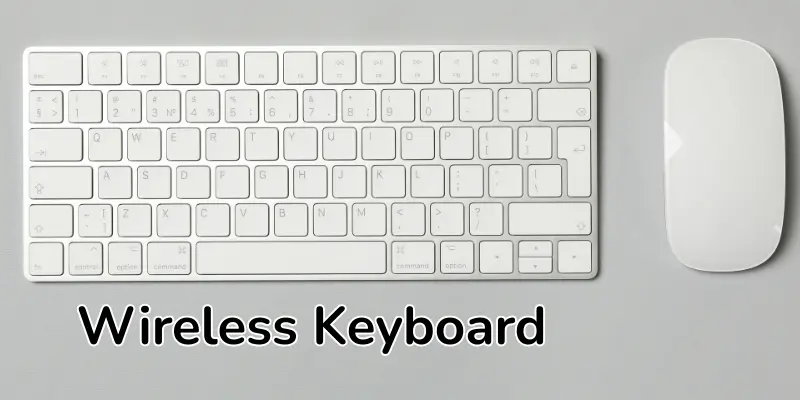
3. Wireless Keyboard
A wireless keyboard connects to a computer without cables, using Bluetooth or a USB receiver. It allows typing from a distance, keeping your desk clean and clutter-free, and offers flexibility for home, school, or office use.
Features:
- Cable-free connection via Bluetooth or USB receiver
- Lightweight and portable
- Long battery life
- Comfortable for use anywhere
Uses:
- Typing from a distance
- Presentations in school or office
- Home entertainment and media control
- Casual work on laptops or tablets
Examples:
- Dell QuietKey – soft and quiet, ideal for offices
- Logitech K120 – simple, affordable, suitable for home and school
4. Ergonomic Keyboard
Ergonomic keyboards are designed to keep your hands and wrists comfortable. Their curved or split shapes follow the natural hand position, reducing strain and preventing pain during long typing sessions. They are ideal for anyone who types for hours daily.
Features:
- Curved or split design for natural hand alignment
- Keys arranged to minimize finger stretching
- Soft-touch keys for gentle typing
- Built-in palm rest for added comfort
- Reduces wrist pain and fatigue
Uses:
- Long typing sessions at school or work
- Writing reports or assignments
- Data entry without strain
- People with wrist or hand issues
Examples:
- Microsoft Sculpt Ergonomic Keyboard – promotes natural hand posture
- Kinesis Advantage 2 – split design for relaxed wrists

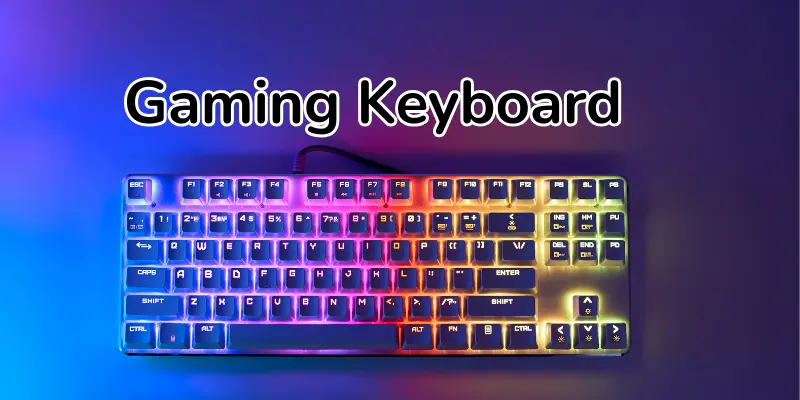
5. Gaming Keyboard
Gaming keyboards are designed for fast, precise performance. They feature responsive keys, colorful backlighting, and extra programmable buttons, making them ideal for gamers and content creators who need speed and accuracy.
Features:
- High-speed keys for quick actions
- Backlit keys with customizable colors
- Extra programmable buttons for shortcuts
- Durable design for long gaming sessions
- Optional wrist rests for comfort
Uses:
- Playing video games
- Streaming or content creation
- Competitive typing and eSports
- Quick media and shortcut control
Examples:
- Razer BlackWidow – colorful lights and durable keys
- SteelSeries Apex Pro – fast response and advanced features
6. Virtual Keyboard
A virtual keyboard appears on a screen, allowing you to type without physical keys. You can tap letters with your finger or use a mouse, making it ideal for smartphones, tablets, and touchscreen devices.
Features:
- Works on touchscreens
- No physical keys required
- Can appear or hide as needed
- Adjustable size and layout
- Lightweight and portable
Uses:
- Typing messages on phones or tablets
- School or work tasks on tablets
- Quick notes or emails
- On-screen app controls
Examples:
- Smartphone Keyboard – for texting and chatting
- Tablet Keyboard – for typing without a physical keyboard
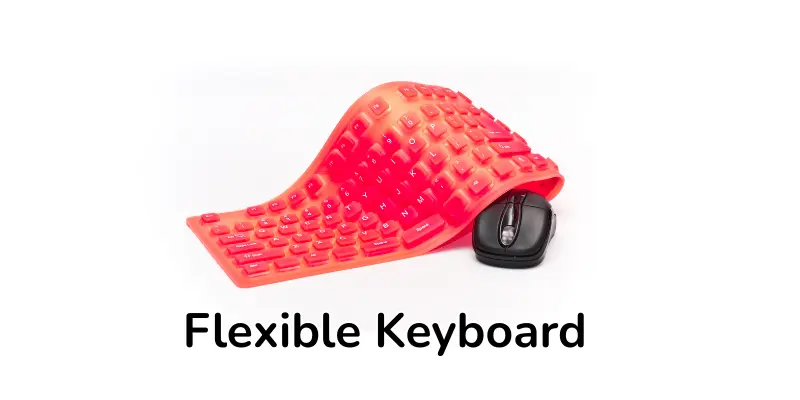
7. Flexible Keyboard
Flexible keyboards are soft, bendable, and portable. They can be rolled up for easy storage, making them ideal for travel or small workspaces.
Features:
- Soft and bendable material
- Can be rolled or folded
- Water-resistant and easy to clean
- Lightweight and portable
- Quiet typing experience
Uses:
- Traveling or working on the go
- Typing in small or limited spaces
- Quick work on laptops or tablets
- Suitable for those needing a lightweight keyboard
Examples:
- Jelly Comb Flexible Keyboard – soft, portable, travel-friendly
- Perixx Periboard-512 – quiet, bendable, easy to carry
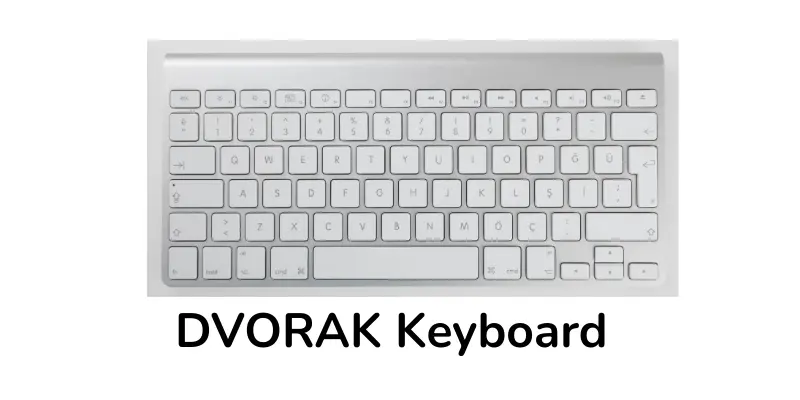
8. DVORAK Keyboard
DVORAK keyboards feature a unique key layout designed to reduce finger movement and increase typing speed. They help minimize fatigue, making them ideal for long typing sessions and coding tasks.
Features:
- Optimized key layout for minimal finger movement
- Reduces typing fatigue
- Suitable for long typing sessions
- Can improve typing speed with practice
- Ideal for programming, writing, and office work
Uses:
- Typing long documents
- Programming and coding
- School or office work
- Faster and more comfortable typing
Examples:
- TypeMatrix 2030 – DVORAK layout for fast typing
- Kinesis Advantage2 – split design supporting DVORAK typing
9. Multimedia Keyboard
Multimedia keyboards go beyond regular typing by offering dedicated keys for music, videos, and media control. They allow quick access to play, pause, skip, and volume adjustments, making computer use more enjoyable.
Features:
- Dedicated media keys for music and videos
- Play, pause, stop, and skip buttons
- Volume control keys
- Extra shortcuts for apps
- Ideal for school or home entertainment
Uses:
- Playing and controlling music or videos
- Managing movies or slideshows
- Quick access to apps and programs
- School projects or home entertainment
Examples:
- Microsoft Wired Multimedia Keyboard – controls music and videos
- Logitech K120 Multimedia Keyboard – convenient media keys for easy use
10. Chiclet Keyboard
Chiclet keyboards feature flat, square keys with rounded edges, resembling small tiles. They are popular on laptops and slim desktop keyboards for their clean design and quiet typing experience.
Features:
- Flat, square keys with rounded edges
- Quiet and smooth typing
- Slim and lightweight design
- Easy to clean and maintain
- Modern look for laptops and desktops
Uses:
- Everyday typing on laptops or desktops
- Schoolwork or office tasks
- Casual computer use at home
- Quick and comfortable typing
Examples:
- Apple Magic Keyboard – sleek, low-profile keys
- Logitech K780 – quiet typing with a modern design
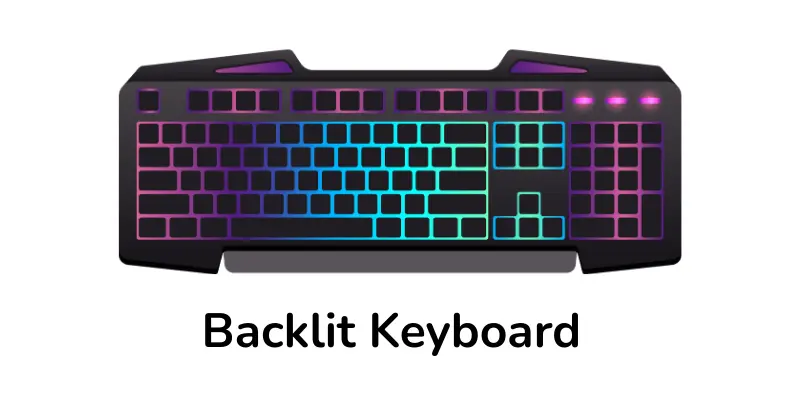
11. Backlit Keyboard
Backlit keyboards have illuminated keys, making typing in low-light or dark environments easier. They are popular among gamers, professionals, and anyone who works at night.
Features:
- Keys light up for better visibility
- Adjustable brightness levels
- Some have customizable colors for style
- Enhances typing accuracy in dim lighting
- Durable and stylish design
Uses:
- Typing in low-light or dark rooms
- Gaming and content creation
- Nighttime work or study sessions
- Office or home use with better visibility
Examples:
- Razer Huntsman Elite – customizable RGB backlighting
- Logitech G915 – bright, adjustable keys with sleek design
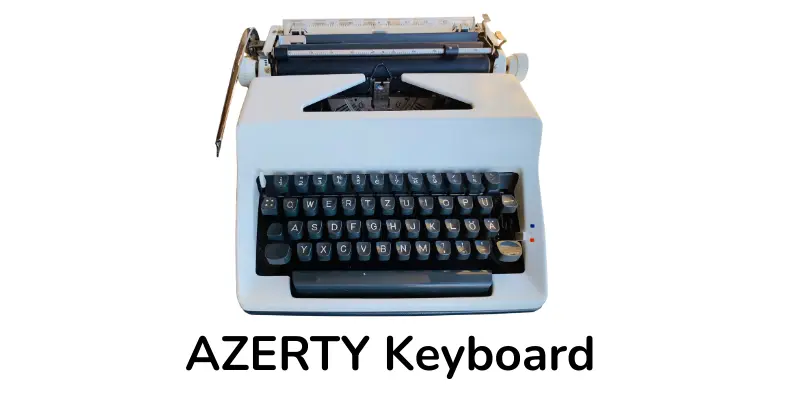
12. AZERTY Keyboard
AZERTY keyboards are designed for French-speaking users. The key layout differs from the standard QWERTY keyboard, making typing in French easier and faster.
Features:
- Unique AZERTY key arrangement
- Optimized for French language typing
- Standard keys for numbers and symbols
- Familiar design for French users
- Easy to switch between languages with software
Uses:
- Writing documents in French
- Office or school work for French speakers
- Typing emails and messages in French
- Professional or personal use requiring French input
Examples:
- Logitech K120 AZERTY – simple and reliable
- Microsoft Wired Keyboard AZERTY – ideal for home and office use
Frequently Asked Questions
What is the difference between mechanical and membrane keyboards?
Mechanical keyboards use individual switches for each key, offering tactile feedback and durability. Membrane keyboards use a soft layer under the keys, making them quieter and more affordable.
Are wireless keyboards reliable?
Yes, modern wireless keyboards using Bluetooth or USB receivers are highly reliable and provide freedom of movement without cables.
Which keyboard is best for gaming?
Gaming keyboards with fast-response keys, customizable backlighting, and extra programmable buttons are ideal for gaming.
What is an ergonomic keyboard?
Ergonomic keyboards are designed to reduce wrist strain with curved or split layouts, promoting comfort during long typing sessions.
What is a DVORAK keyboard?
A DVORAK keyboard has a unique key layout that reduces finger movement and increases typing speed, ideal for long typing sessions.
Are backlit keyboards useful?
Yes, backlit keyboards make typing in low-light conditions easier and can enhance style with customizable lighting.
What is a virtual keyboard?
A virtual keyboard appears on a touchscreen, allowing typing without physical keys, commonly used on smartphones and tablets.
When should I use a flexible keyboard?
Flexible keyboards are perfect for travel, small desks, or portable setups due to their soft, bendable, and rollable design.
What is an AZERTY keyboard?
AZERTY keyboards are optimized for French language typing with a different key layout compared to QWERTY keyboards.
Conclusion
Keyboards come in many types, each designed for specific needs, from gaming and programming to typing comfort and portability. Understanding features, uses, and layouts helps you choose the right keyboard for work, school, or entertainment. Select the keyboard that suits your style, tasks, and personal preferences for an optimal typing experience.