

Did you know that computer mice come in many different types? Some are compact and portable, while others are designed for fast, precise movements, making them perfect for gaming. Certain mice feature extra buttons for work, design, or creative projects.
A mouse allows us to click, scroll, and control the pointer on a screen, making it essential for school, homework, gaming, and professional tasks. This guide explains all major types of computer mice in simple terms. With clear pictures, examples, and key features, you’ll be able to choose the ideal mouse for your needs.
Read More: Practical Applications of Microphones
Types of Computer Mouse
Computer mice come in a variety of types, each designed for specific tasks and purposes. Some are compact and portable, others are built for speed and precision, perfect for gaming, while certain models include extra buttons for work or creative projects.
20 Different Types of Computer Mouse
Computer mice come in many varieties, each designed for specific tasks and user needs. Some are built for portability, others for precision, and some include extra buttons for work or gaming. Here’s a list of 20 different types of computer mice, highlighting their unique features and uses.Each type operates differently, making it suitable for particular activities. In this guide, we’ll break down the main types of computer mice in simple terms, highlighting their features, uses, and advantages so you can easily choose the right one for your needs.
- Mechanical Mouse
- Optical Mouse
- Laser Mouse
- BlueTrack Mouse
- Wired Mouse
- Wireless Mouse
- Gaming Mouse
- Ergonomic Mouse
- Vertical Mouse
- Trackball Mouse
- Stylus Mouse
- Finger Mouse
- Ring Mouse
- 3D Mouse
- Two-Button Mouse
- Multi-Button Mouse
- Travel Mouse
- Touchpad Mouse
- Joystick Mouse
- silent mouse
Let’s explore different types of mouse in computer with pictures in detail.
Mechanical Mouse
The mechanical mouse is a classic type of computer mouse. It uses a rubber ball underneath to detect movement—when you move the mouse, the ball rolls, and the computer reads the motion. Before optical and laser mice became common, mechanical mice were widely used.
Features of a Mechanical Mouse
- Rubber ball under the mouse detects movement
- Durable and long-lasting design
- Works well on flat surfaces
- Requires a mouse pad for smooth operation
Examples of Mechanical Mice
- Logitech Classic Mechanical Mouse – Reliable for office tasks
- Microsoft Vintage Mechanical Mouse – Suitable for everyday use and learning

Optical Mouse
The optical mouse is a modern, widely used computer mouse that tracks movement using a small LED light instead of a ball. This design allows for smoother operation and easier maintenance. Optical mice are ideal for schoolwork, office tasks, browsing, and casual gaming, making them perfect for beginners.
Features of an Optical Mouse
- No rubber ball; uses LED tracking
- Smooth movement on flat surfaces
- Easy to clean and maintain
- Lightweight and comfortable to hold
Examples of Optical Mice
- Lenovo Optical Mouse – Reliable and comfortable for students and office users
- HP Optical Mouse – Simple design with smooth control for daily tasks

Laser Mouse
A laser mouse is an advanced type of computer mouse that uses a laser beam to track movement. This technology provides fast, smooth, and highly precise control, making it ideal for office work, graphic design, and gaming. Unlike older mice, a laser mouse works on a variety of surfaces, often without needing a mouse pad.
Features of a Laser Mouse
- Uses laser technology for accurate tracking
- Provides precise and smooth movement
- Works on most surface types
- Fast response time for professional use
Examples of Laser Mice
- Razer Basilisk Essential – High-speed and smooth, perfect for advanced users
- Logitech MX Anywhere 2S – Compact design with precise control

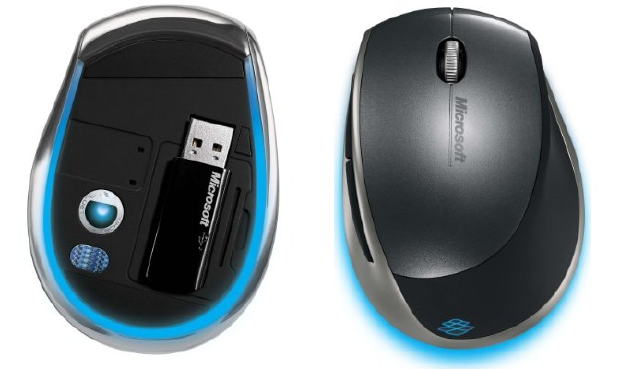
BlueTrack Mouse
A BlueTrack mouse is a modern type of computer mouse that uses blue light to track movement. This technology allows it to work on a wider range of surfaces, providing smooth and accurate control. BlueTrack mice are ideal for home, office, and travel use.
Features of a BlueTrack Mouse
- Uses advanced blue light technology for tracking
- Works on both rough and soft surfaces
- Smooth and precise pointer control
- Modern, ergonomic design
- Reliable for everyday tasks
Examples of BlueTrack Mice
- Microsoft BlueTrack Mouse – Accurate and smooth on multiple surfaces
- Microsoft Sculpt Comfort Mouse – Comfortable and easy to handle
Wired Mouse
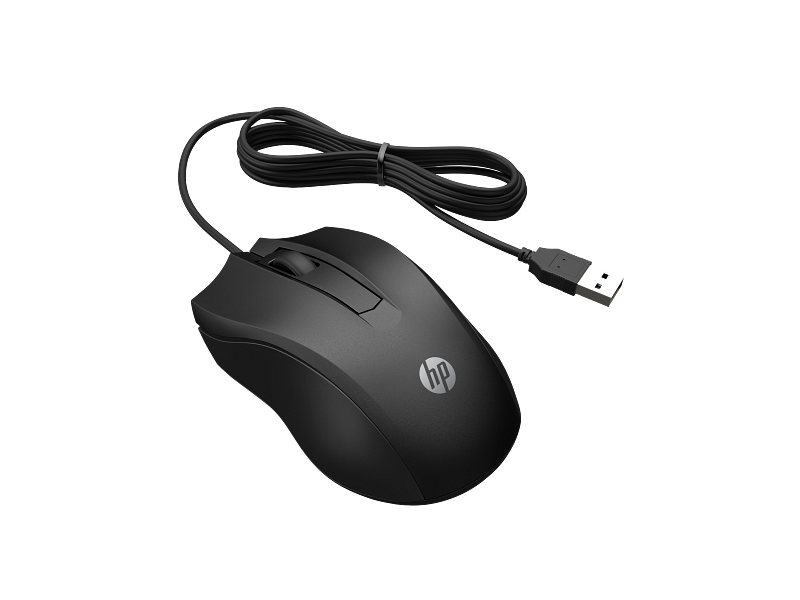
A wired mouse is a basic type of computer mouse that connects to a computer via a USB cable. It works immediately after plugging in, providing a stable and fast connection. Wired mice are commonly used for schoolwork, office tasks, and gaming.
Features of a Wired Mouse
- Connects via USB cable for instant use
- No batteries required
- Easy to set up and operate
- Works continuously without charging
Examples of Wired Mice
- Logitech B100 Wired Mouse – Simple and reliable for daily use
- Dell MS116 Wired Mouse – Smooth performance with dependable functionality
Wireless Mouse
A wireless mouse is a modern computer mouse that works without a cable, connecting via Bluetooth or a USB receiver. It allows free movement, keeps your workspace tidy, and is ideal for laptops, office work, and travel. Its portability makes it easy to carry anywhere.
Features of a Wireless Mouse
- Operates without a physical cable
- Connects through Bluetooth or USB receiver
- Smooth and flexible control
- Keeps your desk clean and organized
- Lightweight and portable
Examples of Wireless Mice
- HP X3000 Wireless Mouse – Comfortable and suitable for office use
- Logitech M185 Wireless Mouse – Reliable and easy for everyday tasks

Gaming Mouse
A gaming mouse is a specialized computer mouse designed for video games. It offers fast, precise movement, quick response times, and extra buttons for better control. Many gaming mice feature colorful lights and ergonomic designs, helping players improve speed, accuracy, and overall performance during gameplay.
Features of a Gaming Mouse
- Fast and highly responsive movement
- Extra programmable buttons for quick actions
- High sensitivity for precise control
- Ergonomic design for long gaming sessions
- Stylish RGB or colorful lighting
Examples of Gaming Mice
- Razer DeathAdder Essential – Accurate and comfortable for gamers
- Logitech G502 Gaming Mouse – High-speed, powerful performance

Ergonomic Mouse
An ergonomic mouse is designed for comfort and ease of use. It fits the hand naturally, reducing wrist strain and preventing pain during long periods of computer use. Ideal for office work, studying, and daily tasks, it helps make extended computer sessions more comfortable and efficient.
Features of an Ergonomic Mouse
- Natural, comfortable hand position
- Reduces wrist pressure and strain
- Easy to hold and control
- Smooth, precise movement
- Suitable for long working hours
Examples of Ergonomic Mice
- Microsoft Sculpt Ergonomic Mouse – Smooth and user-friendly
- Logitech MX Vertical Mouse – Comfortable with a modern design

Vertical Mouse
A vertical mouse features an upright design, held like a handshake, keeping your hand at a natural angle. This reduces wrist stress and muscle strain, making it ideal for office work and long computer sessions. It enhances comfort and control during extended use.
Features of a Vertical Mouse
- Upright design for a natural, ergonomic grip
- Reduces wrist pressure and strain
- Improves hand comfort
- Smooth and controlled movement
- Suitable for long working hours
Examples of Vertical Mice
- Logitech MX Vertical Mouse – Advanced, ergonomic, and comfortable
- Anker Vertical Ergonomic Mouse – Affordable and easy to use

Trackball Mouse
A trackball mouse features a large ball on top, allowing you to move the pointer by rolling the ball with your fingers while the mouse stays stationary. This design saves desk space and works well in small or limited areas. Trackball mice are ideal for office work, design, and tasks requiring precise control, offering improved accuracy and comfort.
Features of a Trackball Mouse
- Large top ball for finger-controlled movement
- Mouse remains stationary on the desk
- Ideal for small or confined spaces
- Smooth and accurate pointer control
- Reduces wrist movement
Examples of Trackball Mice
- Kensington Expert Trackball Mouse – Smooth control with ergonomic design
- Logitech MX Ergo Trackball – Comfortable and precise for office use

Stylus Mouse
A stylus mouse resembles a pen and is held like one to control the pointer. It is mainly used for drawing, designing, and other creative tasks, allowing precise clicks and smooth, accurate movements. Stylus mice make digital art and design work faster and more comfortable.
Features of a Stylus Mouse
- Pen-shaped design for a natural, comfortable grip
- Precise pointer control for accurate work
- Smooth and responsive movement
- Lightweight and easy to handle
- Ideal for tablets and touchscreens
Examples of Stylus Mice
- XP-Pen Stylus Mouse – Comfortable and smooth for designers
- Wacom Pen Tablet – Highly accurate and perfect for digital art

Finger Mouse
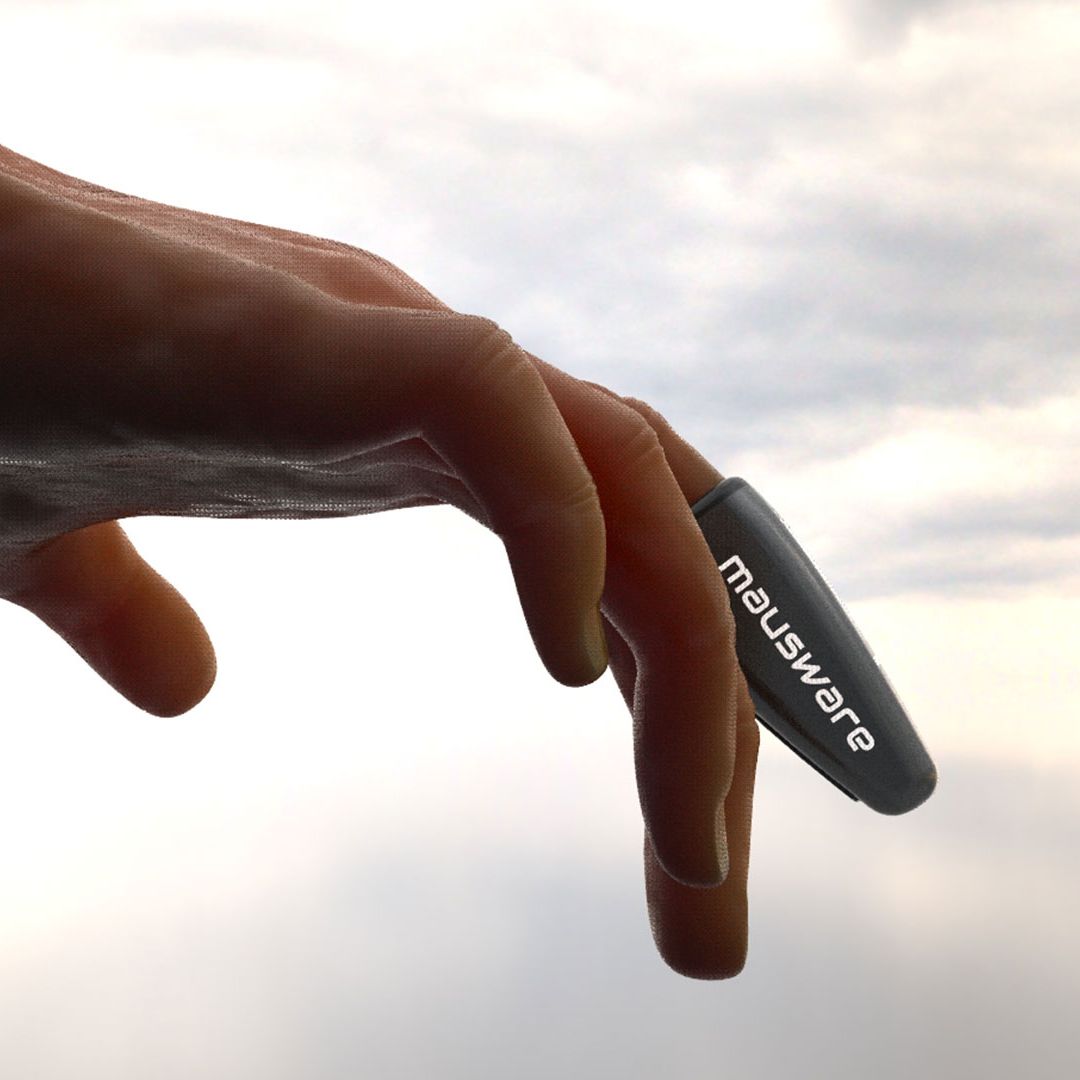
A finger mouse is a compact device worn on your finger, allowing you to control the pointer with simple finger movements. It is ideal for working in tight spaces or on small desks. Lightweight and portable, a finger mouse provides quick and easy control for everyday tasks.
Features of a Finger Mouse
- Worn directly on the finger for intuitive use
- Pointer moves with finger gestures
- Lightweight and portable
- Perfect for small or confined spaces
- Offers fast and simple control
Examples of Finger Mice
- Glide Finger Mouse – Comfortable and portable for office or travel
- Finger Mouse Mini – Small, easy, and convenient for daily tasks
3D Mouse
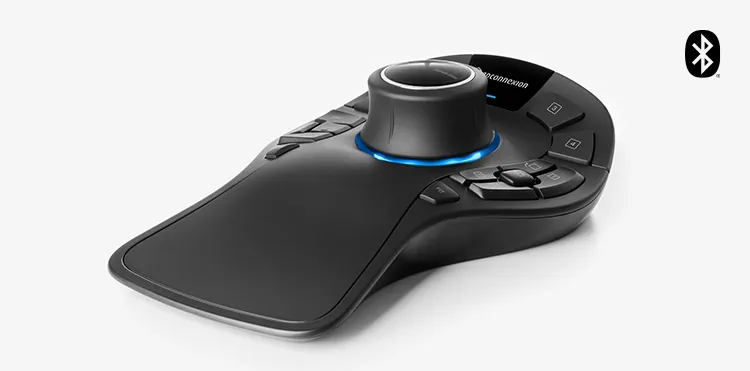
A 3D mouse allows movement in three dimensions—up, down, left, right, forward, and backward—making it ideal for 3D design, animation, and gaming. It provides precise control over 3D models, speeding up creative workflows and offering a level of accuracy not possible with a standard mouse.
Features of a 3D Mouse
- Supports movement in three dimensions
- Smooth and precise navigation
- Perfect for 3D design, modeling, and animation
- Enhances creative and professional workflows
- Ergonomic and comfortable for extended use
Examples of 3D Mice
- 3Dconnexion SpaceMouse Pro – Professional and highly accurate for designers
- 3Dconnexion SpaceMouse Compact – Portable and smooth for creative tasks
Two-Button Mouse
A two-button mouse is a basic and easy-to-use computer mouse with only two buttons. The left button handles standard clicks, while the right button provides additional options. It is ideal for beginners and everyday tasks such as clicking, selecting, and simple navigation.
Features of a Two-Button Mouse
- Only two buttons for straightforward use
- Lightweight and simple design
- Smooth pointer movement
- Perfect for beginners and daily work
- Easy to set up and use
Examples of Two-Button Mice
- Logitech B100 – Reliable and simple for school and office use
- Dell MS116 – Smooth and easy for everyday tasks

Multi-Button Mouse
A multi-button mouse features more than two buttons, allowing users to perform additional tasks quickly and efficiently. It is commonly used for gaming, design, and productivity work, with each button customizable for different functions. This makes work faster and more convenient compared to a standard mouse.
Features of a Multi-Button Mouse
- Extra buttons for shortcuts and tasks
- Customizable functions for each button
- Fast and precise control
- Perfect for gamers, designers, and professionals
Examples of Multi-Button Mice
- Razer Naga X – Multiple buttons for gaming and productivity
- Logitech G502 Gaming Mouse – Fast, powerful, and versatile with several buttons

Travel Mouse
A travel mouse is a compact, portable mouse designed for use on the go. It functions like a regular mouse but is small enough to fit in a bag or pocket, making it ideal for travel, remote work, or studying away from home.
Features of a Travel Mouse
- Compact and lightweight for easy portability
- Works on most surfaces
- Simple to carry in bags or pockets
- Easy setup and use
- Perfect for travel and remote tasks
Examples of Travel Mice
- Logitech M187 – Small, wireless, and convenient for travel
- Microsoft Mobile Mouse 3500 – Lightweight and reliable on the move

Touchpad Mouse
A touchpad mouse is a flat, built-in surface found on laptops. You control the pointer by sliding your finger, tapping to click, or using gestures to scroll. It offers convenient control without needing a separate mouse, making it perfect for laptops and travel.
Features of a Touchpad Mouse
- Built-in flat surface on laptops
- Supports tapping and multi-finger gestures
- Smooth and precise pointer movement
- No extra cables or devices required
- Ideal for small spaces and portability
Examples of Touchpad Mice
- Dell Inspiron Touchpad – Accurate and user-friendly on Windows laptops
- Apple MacBook Touchpad – Smooth, responsive, and optimized for macOS

Joystick Mouse
A joystick mouse resembles a small stick that you move in different directions to control the pointer. It is ideal for precise movements and is especially helpful for users who find a traditional mouse difficult to operate. It makes computer work more comfortable and accessible.
Features of a Joystick Mouse
- Small stick for pointer control
- Works in all directions
- Smooth and accurate navigation
- Suitable for users with hand difficulties
Examples of Joystick Mice
- 3Dconnexion SpaceNavigator – Precise control for 3D design and modeling
- Logitech Joystick Mouse – Smooth and easy for accessibility and small tasks

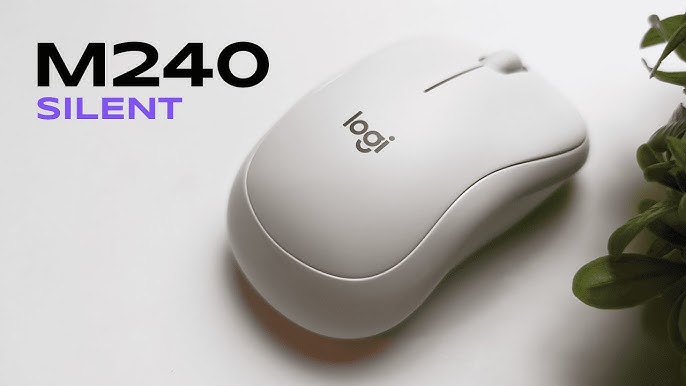
Silent Mouse
A silent mouse produces minimal noise when clicking, making it ideal for quiet environments like offices, libraries, and study areas. It allows smooth, precise control without disturbing others, perfect for students, office workers, and shared spaces.
Features of a Silent Mouse
- Quiet-click buttons for noiseless operation
- Smooth and soft movement
- Comfortable hand grip
- Lightweight and easy to use
- Perfect for quiet environments
Examples of Silent Mice
- HP Silent Wireless Mouse – Smooth and virtually silent performance
- Logitech M330 Silent Plus – Quiet, comfortable, and ideal for daily work
Frequently Asked Questions
What is a computer mouse and why is it important?
A computer mouse is a pointing device used to control the cursor, click, scroll, and interact with a computer. It is essential for navigation, productivity, and creative work.
How many types of computer mice are there?
There are dozens of types, including mechanical, optical, laser, wireless, gaming, ergonomic, vertical, trackball, stylus, finger, ring, 3D, two-button, multi-button, travel, touchpad, joystick, and silent mice.
What is the difference between optical and laser mice?
Optical mice use an LED light to detect movement, while laser mice use a laser for more precise and faster tracking on multiple surfaces.
Which mouse is best for gaming?
A gaming mouse with high sensitivity, extra programmable buttons, fast response time, and ergonomic design is ideal for gamers.
Are wireless mice reliable?
Yes, modern wireless mice use Bluetooth or USB receivers for stable connections, providing portability and clutter-free workspaces.
What is a vertical or ergonomic mouse?
Vertical and ergonomic mice are designed to reduce wrist strain and provide a natural hand position for long hours of use.
Can I use a mouse for creative work or 3D design?
Yes, stylus mice, 3D mice, and trackball mice are designed for precise control in creative tasks, digital art, and 3D modeling.
What is the best mouse for quiet environments?
Silent mice are perfect for offices, libraries, or shared spaces, as they produce minimal clicking noise while maintaining smooth control.
Conclusion
Choosing the right computer mouse depends on your needs, tasks, and workspace. From basic two-button mice for everyday use to advanced gaming, ergonomic, and 3D mice, each type offers unique features to enhance comfort, precision, and productivity. Wireless, travel, and silent mice provide portability and quiet operation, while stylus and trackball mice support creative and professional work.