
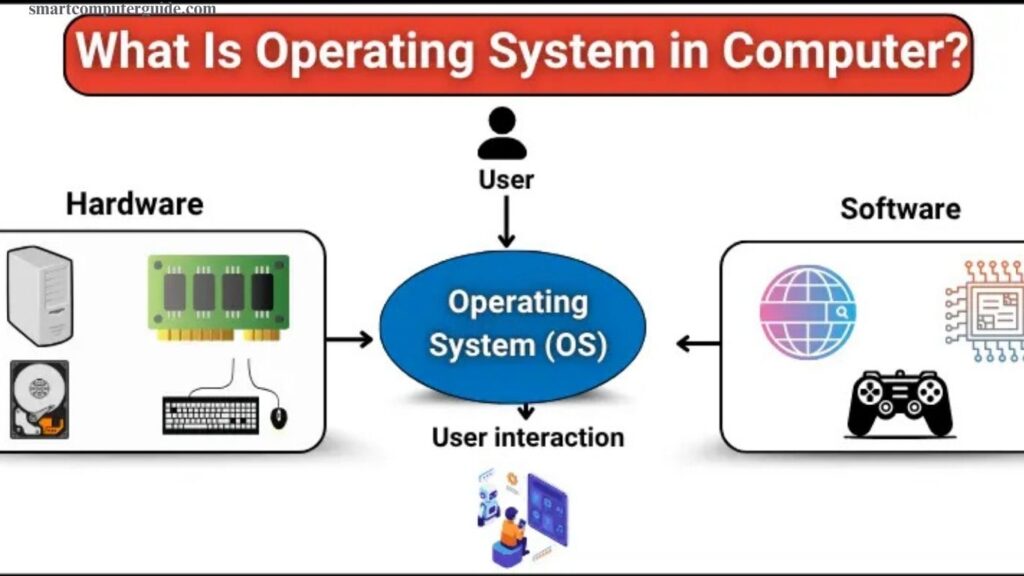
Every computer, smartphone, or tablet relies on an operating system to function efficiently. The operating system manages programs, memory, and files, ensuring your device runs smoothly. If your computer slows down or apps fail to open, the issue often lies with the operating system. Understanding what an operating system is helps you see how it controls hardware and software interactions, allocates resources, and provides a user-friendly interface.
With this knowledge, you can optimize performance, troubleshoot problems, and make your device faster and more reliable, ensuring a seamless experience whether for work, study, or entertainment.
Read More: Operating Systems in Computers: A Simple Beginner’s Guide
What Is an Operating System in a Computer?
An operating system (OS) is essential software that powers a computer. It allows hardware and applications to communicate, organizes files, manages memory, and controls the programs you use daily. The OS also provides a user interface, enabling you to interact with your device easily. Without an operating system, a computer cannot function or run any applications. Understanding the OS helps you optimize performance, troubleshoot issues, and make the most of your computer, smartphone, or tablet.
Types of Operating Systems
Operating systems (OS) come in different types, each designed for specific tasks and environments.
- Batch Operating System: Processes jobs in batches without requiring user interaction.
- Time-Sharing / Multitasking OS: Allows multiple users or programs to run simultaneously.
- Distributed Operating System: Manages multiple computers in a network as a single system.
- Real-Time OS: Provides immediate responses, ideal for devices needing fast processing.
- Network OS: Enables computers to communicate and share resources within a network.
- Mobile OS: Powers smartphones and tablets, managing apps and hardware efficiently.
Functions of an Operating System
An operating system (OS) performs essential tasks to keep a computer running efficiently and provide a smooth user experience.
- Managing Hardware: Controls the CPU, memory, storage, and peripheral devices.
- Managing Software/Applications: Runs programs and manages multiple applications simultaneously.
- File Management: Organizes, stores, and retrieves files effectively.
- Security and Access Control: Protects the system from unauthorized access, viruses, and other threats.
Understanding these functions helps users optimize performance, maintain security, and use their devices effectively.
Examples of Operating Systems
Operating systems (OS) power computers, smartphones, and tablets. Some of the most popular examples include:
- iOS: Used on Apple devices like iPhone and iPad, optimized for performance and security.
- Windows: Widely used on home computers and laptops, offering easy access to apps, games, and productivity tools.
- macOS: Found on Apple computers like MacBook and iMac, providing a smooth, fast, and seamless experience.
- Linux: A free, open-source OS used on desktops, servers, and development environments.
- Android: Powers most smartphones and tablets, supporting a wide range of apps.
Components of an Operating System
An operating system (OS) has several key components that ensure smooth functionality:
- Kernel: The core of the OS, managing hardware and system resources.
- Shell: Provides an interface for users to give commands and interact with the system.
- File System: Organizes, stores, and manages all files on the computer.
- Device Drivers: Enable communication between the OS and hardware devices, like printers, keyboards, and external drives.
Understanding these components helps users and developers optimize performance, troubleshoot issues, and maintain system stability.
Advantages and Disadvantages of an Operating System
Advantages
Operating systems make computers easy to use and efficient. Key benefits include:
- User-friendly interface for easy interaction
- Efficient hardware management
- Support for multitasking and running multiple programs
- Data protection and system security
- Smooth application performance
- Organized file and resource management
Disadvantages
Despite their benefits, operating systems can have drawbacks:
- Can be expensive
- Updates may slow older devices
- Limited software compatibility on some OS
- Vulnerable to viruses targeting the OS
- Requires regular maintenance
- Some hardware may not be fully supported
Frequently Asked Questions
What is an operating system (OS)?
An OS is software that manages a computer’s hardware, applications, and files, enabling smooth operation and user interaction.
What are the main functions of an OS?
It manages hardware, runs applications, organizes files, and ensures system security and multitasking.
What are the different types of operating systems?
Common types include Batch, Time-Sharing/Multitasking, Distributed, Real-Time, Network, and Mobile OS.
Which OS are most commonly used?
Popular OS include Windows, macOS, Linux, Android, and iOS.
What is the kernel in an OS?
The kernel is the core component that controls hardware and system resources.
What is a shell in an OS?
The shell allows users to give commands and interact with the system.
What are the advantages of an OS?
It provides a user-friendly interface, efficient hardware management, multitasking, and security.
What are the disadvantages of an OS?
Disadvantages include cost, software compatibility issues, potential slowdowns from updates, and vulnerability to viruses.
Conclusion
An operating system (OS) is the backbone of every computer, smartphone, or tablet, enabling hardware and software to work together efficiently. It manages resources, runs applications, organizes files, and ensures system security. While each type of OS—such as Windows, macOS, Linux, Android, or iOS—offers unique features, understanding their functions and components helps users optimize performance, troubleshoot issues, and maintain device security.