

Computers rely on secondary storage devices to keep data safe for long periods, even when the system is powered off. These devices play a vital role in storing operating systems, software, and personal files permanently. Without secondary storage, important information would be lost every time a computer shuts down. Common examples include hard drives, USB flash drives, and DVDs, each designed for different storage needs.
Hard drives offer large capacity, USB drives provide portability, and DVDs are useful for backups and data sharing. Understanding secondary storage devices helps users choose the right option for secure, reliable, and long-term data storage.
Read More: Optical Storage Devices: A Beginner’s Complete Guide
Examples of Secondary Storage Devices
Secondary storage devices allow computers and other digital devices to store data permanently, even when powered off. They are essential for saving files, software, and backups over the long term. Some common examples include:
- Hard Disk Drive (HDD)
- Solid State Drive (SSD)
- Magnetic Tape
- Floppy Disk
- Disk Packs
- Compact Disc (CD)
- DVD
- Blu-ray Disc
- USB Flash Drive / Memory Stick
- SD Card
Examples of Secondary Storage Devices
Secondary storage devices store data permanently, even when the computer is turned off. They are essential for backing up files, software, media, and other important data. Below is a detailed look at common secondary storage devices:
1. Hard Disk Drive (HDD)
HDDs store large amounts of data and keep it safe without power. They are widely used for videos, games, and files inside computers.
Key Features:
- Stores 500 GB, 1 TB, or more
- Non-volatile
- Uses spinning disks and magnetic storage
- Slower than SSDs
- Low-cost option

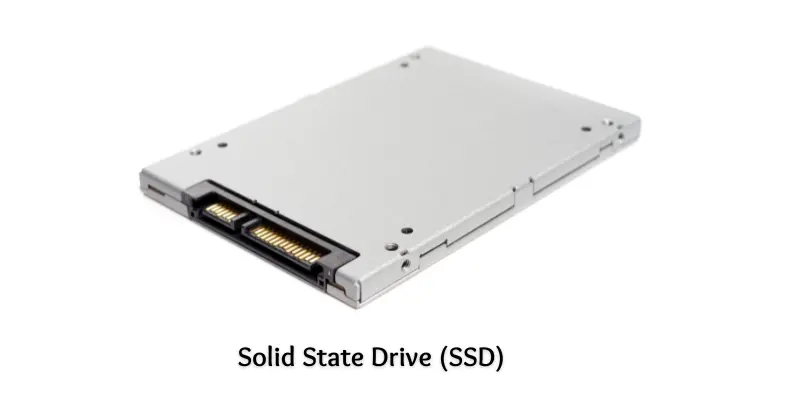
2. Solid State Drive (SSD)
SSDs provide fast, silent, and durable storage using flash memory. They are common in laptops and modern PCs.
Key Features:
- Stores 256 GB to 1 TB
- Non-volatile, no moving parts
- Faster than HDDs
- Energy-efficient, lightweight, and portable
3. Magnetic Tape
Used for backups and archival purposes, magnetic tapes store massive data sequentially.
Key Features:
- Can hold several terabytes
- Non-volatile
- Slow read/write speeds
- Cost-effective for long-term storage
- Requires a tape drive

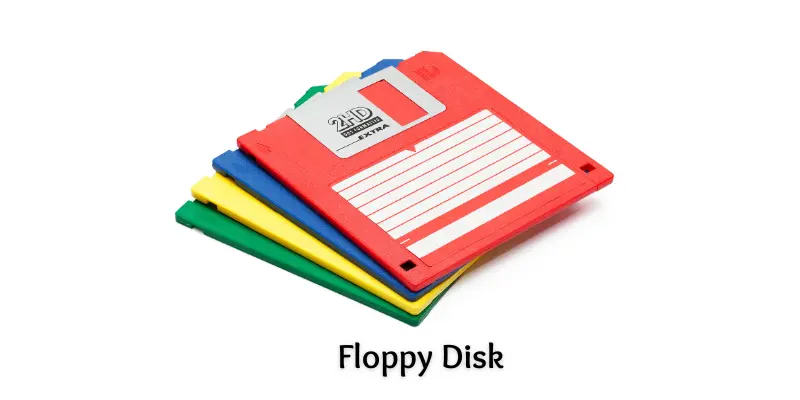
4. Floppy Disk
Once popular for small files, floppy disks are now mostly obsolete.
Key Features:
- Stores 1.44 MB
- Magnetic storage inside a thin square casing
- Lightweight and reusable
- Works with old floppy disk drives
5. Disk Packs
Disk packs were used in early mainframe computers, stacking multiple magnetic disks.
Key Features:
- Stores hundreds of megabytes
- Non-volatile and removable
- Requires special drives
- Rarely used today
6. Compact Disc (CD)
CDs store music, videos, and files using optical laser technology.
Key Features:
- Up to 700 MB storage
- Lightweight and portable
- Non-volatile
- Needs a CD drive

7. DVD (Digital Versatile Disc)
DVDs hold more data than CDs and are ideal for videos and software.
Key Features:
- 4.7–8.5 GB storage
- Non-volatile optical storage
- Lightweight, portable, and reusable (DVD-RW)
8. Blu-ray Disc
Blu-ray discs store high-definition videos and large files with superior quality.
Key Features:
- 25 GB (single layer) or 50 GB (dual layer)
- Uses blue laser technology
- Durable and scratch-resistant
- Requires Blu-ray drives or players
9. USB Flash Drive / Memory Stick
USB drives are portable, fast, and convenient for daily file transfer.
Key Features:
- 2 GB to 1 TB storage
- Solid-state, no moving parts
- Reusable and fast
- Works via USB port
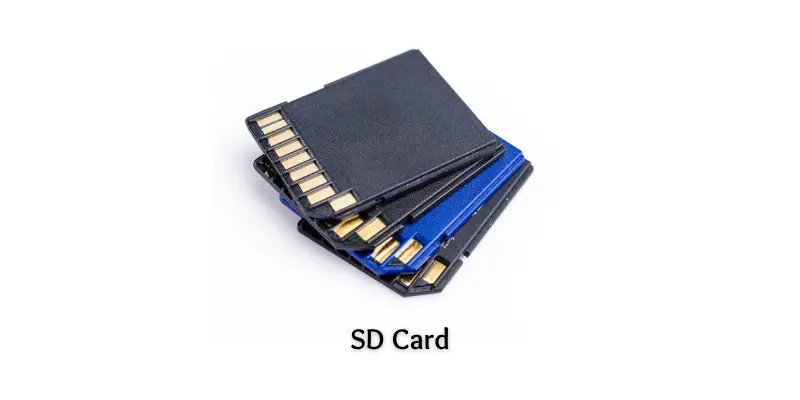
10. SD Card
SD cards are small, versatile, and used in cameras, phones, and tablets.
Key Features:
- Few MBs up to 1 TB
- Non-volatile and silent
- Lightweight and portable
- Fast read/write speeds
- Removable and reusable
Frequently Asked Question
What is a secondary storage device?
A secondary storage device is a hardware component used to store data permanently, even when the computer is turned off. Examples include HDDs, SSDs, CDs, and USB drives.
What are the main types of secondary storage devices?
The main types include magnetic storage (HDD, magnetic tape, floppy disks), optical storage (CD, DVD, Blu-ray), and solid-state storage (SSD, USB drives, SD cards).
How is secondary storage different from primary storage?
Primary storage (RAM) is temporary and loses data when the computer shuts down. Secondary storage keeps data permanently and is used for backups, files, and media.
Which secondary storage device is the fastest?
Solid State Drives (SSDs) are the fastest due to their flash memory and lack of moving parts, making them quicker than HDDs, CDs, or DVDs.
Which storage device is best for long-term backups?
Magnetic tapes, HDDs, and Blu-ray discs are ideal for long-term storage because they are reliable, non-volatile, and can hold large amounts of data.
Can secondary storage devices be portable?
Yes, devices like USB flash drives, SD cards, and external HDDs are portable and allow easy transfer of files between devices.
Are secondary storage devices reusable?
Most modern devices like SSDs, USB drives, and SD cards are reusable. Data can be deleted and rewritten multiple times.
Conclusion
Secondary storage devices are essential for storing data securely and permanently, ensuring files remain safe even when computers are turned off. From traditional HDDs and magnetic tapes to modern SSDs, USB drives, and SD cards, each device serves a specific purpose, whether for speed, portability, or large-capacity storage. Optical media like CDs, DVDs, and Blu-ray discs remain useful for backups and media sharing.