
Struggling to pick the right software for your device? Many programs fail to work simply because they are not compatible with your operating system. Learning about different examples of operating systems can simplify device management and prevent common tech frustrations. Operating systems serve as the backbone of your device, controlling hardware, running applications, and ensuring smooth performance.
By understanding how these systems are categorized and how they function differently, you can make informed decisions about software and devices. Explore our comprehensive guide on types of operating systems to boost your tech knowledge and improve device efficiency.
Read More: Operating System Functions: A Simple Beginner’s Guide
10 Examples of Operating Systems
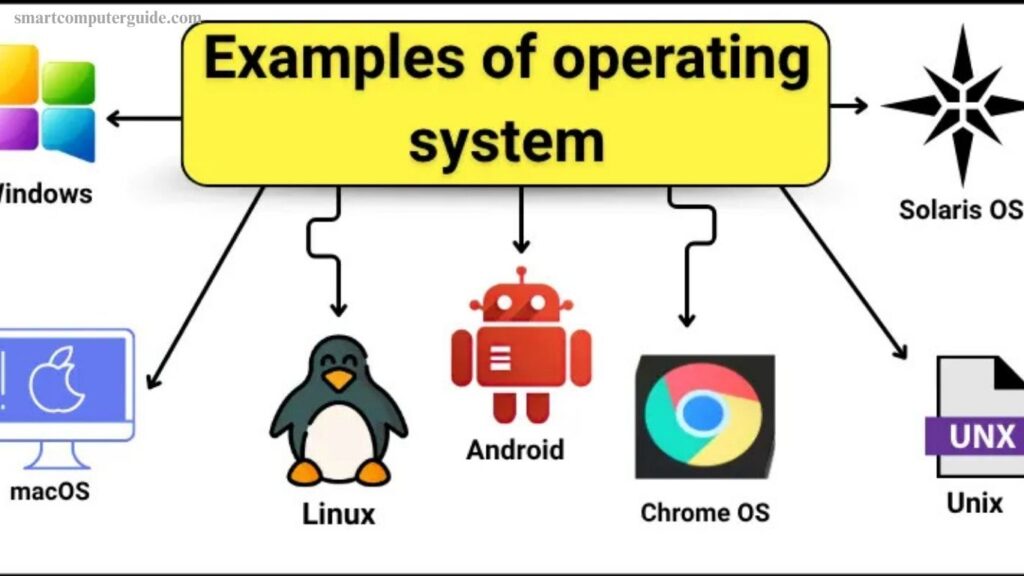
Operating systems form the foundation of modern digital devices, enabling hardware and software to work together efficiently. They manage system resources, support applications, and ensure smooth performance across different platforms. Below are ten widely used operating systems that power computers, smartphones, servers, and other devices around the world:
- Windows
- macOS
- Linux
- Android
- iOS
- Chrome OS
- Unix
- Solaris
- FreeBSD
- Haiku
Each operating system is designed for specific use cases, offering unique features, security levels, and performance capabilities.
1. Windows
Windows is one of the most widely used operating systems worldwide. It powers millions of personal computers and laptops, making everyday tasks like browsing the internet, running software, and gaming simple and efficient. Its user-friendly interface makes it suitable for both beginners and professionals.
Popular Versions of Windows:
- Windows 11 – Modern design with enhanced features
- Windows 10 – Fast, secure, and widely used
- Windows 8 – Touch-optimized for tablets
- Windows 7 – Stable and reliable
- Windows XP – Classic and easy to use
2. macOS
macOS is Apple’s operating system designed exclusively for Mac computers. It is known for its clean interface, strong security, and smooth performance. Users rely on macOS for daily computing and creative tasks such as photo and video editing.
Popular Versions of macOS:
- macOS Ventura – New productivity tools
- macOS Monterey – Improved multitasking
- macOS Big Sur – Modern design and speed
- macOS Catalina – Enhanced security
- macOS Mojave – Dark mode support
3. Linux
Linux is a free, open-source operating system created in 1991. It is widely used on servers, desktops, and development environments. Linux is valued for its security, stability, and high level of customization.
Popular Versions of Linux:
- Ubuntu – Beginner-friendly
- Fedora – Advanced and secure
- Debian – Highly stable
- Linux Mint – Simple and modern
- CentOS – Business-focused
4. Android
Android is a mobile operating system developed by Google. It runs on smartphones, tablets, and smart TVs. Android allows extensive customization and supports millions of apps.
Popular Versions of Android:
- Android 13 – Enhanced security
- Android 12 – Improved design
- Android 11 – Privacy-focused
- Android 10 – Gesture navigation
- Android 9 – Battery optimization
5. iOS
iOS is Apple’s mobile operating system for iPhones and iPads. It offers fast performance, strong privacy features, and access to the App Store.
Popular Versions of iOS:
- iOS 17 – New apps and tools
- iOS 16 – Performance upgrades
- iOS 15 – Better notifications
- iOS 14 – Widgets support
- iOS 13 – Dark mode
6. Chrome OS
Chrome OS is a lightweight operating system designed mainly for Chromebooks. It works best with cloud-based applications and updates automatically.
Popular Versions of Chrome OS:
- Chrome OS 117 – Faster performance
- Chrome OS 116 – Better app support
- Chrome OS 115 – Security improvements
- Chrome OS 114 – Smooth interface
- Chrome OS 113 – Beginner-friendly
7. Unix
Unix is a powerful and stable operating system created in 1969. It is commonly used in enterprise environments, research institutions, and servers.
Popular Versions of Unix:
- AIX – IBM servers
- HP-UX – Enterprise systems
- Solaris Unix – High-performance servers
- BSD Unix – Secure and stable
- Tru64 Unix – Legacy systems
8. Solaris
Solaris is a server-focused operating system developed for high-performance computing and large networks. It is known for data protection and scalability.
Popular Versions of Solaris:
- Solaris 11 – Advanced security
- Solaris 10 – Highly reliable
- Solaris 9 – Legacy support
- Solaris 8 – Business use
- Solaris 7 – Basic functionality
9. FreeBSD
FreeBSD is a free and open-source operating system used mainly on servers and workstations. It delivers strong performance and high security.
Popular Versions of FreeBSD:
- FreeBSD 13 – Latest features
- FreeBSD 12 – Server stability
- FreeBSD 11 – Reliable performance
- FreeBSD 10 – Broad hardware support
- FreeBSD 9 – Legacy version
10. Haiku
Haiku is a lightweight operating system designed for personal computing. It focuses on speed, simplicity, and a clean user experience.
Popular Versions of Haiku:
- Haiku R1 Beta 3 – Latest beta
- Haiku R1 Beta 2 – Stable testing
- Haiku R1 Beta 1 – Developer release
- Haiku R0 – Initial version
- Haiku Nightly Builds – Ongoing updates
Frequently Asked Questions
What is an operating system?
An operating system is system software that manages a device’s hardware and software. It allows users to run applications, control files, and interact with the device easily.
Why is an operating system important?
Without an operating system, a computer or mobile device cannot function. It handles memory, processing tasks, security, and communication between hardware and software.
What are the most popular operating systems today?
Some of the most widely used operating systems include Windows, macOS, Linux, Android, and iOS.
What is the difference between desktop and mobile operating systems?
Desktop operating systems run on computers and laptops, while mobile operating systems are designed for smartphones and tablets with touch-based controls.
Is Linux better than Windows?
Linux offers more customization and security, while Windows is easier for beginners and supports more commercial software. The better choice depends on user needs.
Can one device run multiple operating systems?
Yes, a device can run multiple operating systems using dual-boot or virtual machine technology, depending on hardware support.
How often should an operating system be updated?
Operating systems should be updated regularly to improve performance, fix bugs, and protect devices from security threats.
Conclusion
Operating systems play a vital role in the performance, security, and usability of digital devices. Whether it is a desktop computer, smartphone, or server, the right operating system ensures smooth operation and efficient task management. From widely used platforms like Windows and macOS to open-source options such as Linux and FreeBSD, each operating system serves different user needs. Understanding their features and differences helps users choose the best system for work, study, or personal use.