
Networks are the backbone of our digital world, linking everything from smartphones to corporate servers. These connections enable seamless communication, efficient resource sharing, and uninterrupted access to information. Understanding the types of computer networks reveals how devices interact, transmit data, and maintain reliable performance across homes, businesses, and global systems.
Whether it’s a small local network or a vast global infrastructure, each network type serves a specific purpose, ensuring that digital operations run smoothly. Exploring network structures enhances knowledge of technology and highlights the critical role they play in everyday life.
Read More: Computer Network Protocols: The Ultimate Guide
What Are the Types of Computer Networks?
A computer network links multiple devices, enabling them to share information and resources efficiently. Networks vary in size and purpose—some are ideal for homes or offices, while others span entire cities or countries.
Types of Computer Networks
Computer networks are designed to meet specific needs and environments. From small local setups to expansive global systems, each network type ensures smooth communication, reliable data transfer, and optimized resource sharing across connected devices. Understanding these types helps you navigate the digital landscape effectively.
- LAN
- MAN
- WAN
- PAN
- CAN
- Wired Network
- Wireless Network
- Client-Server Network
- Peer-to-Peer Network
- Public Network
- Private Network
- Virtual Private Network (VPN)
- Wireless Sensor Network (WSN)
LAN (Local Area Network)
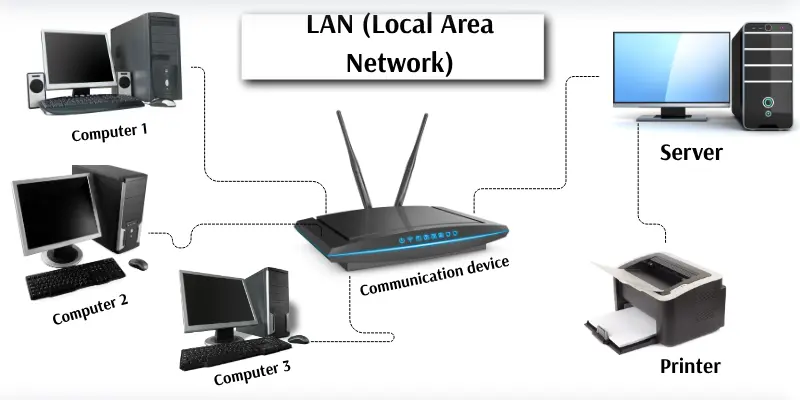
A LAN connects computers and devices within a small area, such as homes, schools, or offices. It allows fast sharing of files, printers, and internet access, typically up to 1000 Mbps due to its limited coverage. LANs use cables or Wi-Fi, and a central computer, called a server, often manages the network.
Example:
In an office, employees’ computers connect to a central server, enabling file sharing, printer access, and internet use through one network.
Advantages:
- Quick file and data sharing
- Shared printers and devices
- Cost-effective resource use
- Fast communication
Disadvantages:
- Limited coverage area
- Network stops if the main server fails
- Setup can be costly
- Security risks without proper protection
- Requires management for maintenance
MAN (Metropolitan Area Network)
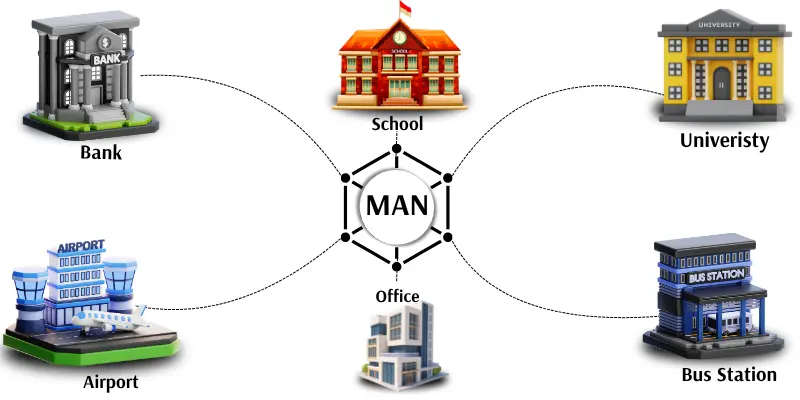
A MAN links computers across a large area, such as a city, covering more distance than a LAN but less than a WAN. Offices, schools, and buildings within the same city can connect through high-speed cables or wireless links, allowing fast data transfer and easy sharing of information.
Example:
All branches of a bank in one city connect via a Metropolitan Area Network, enabling seamless communication and resource sharing.
Advantages:
- Covers large areas like a city
- Faster than LAN
- Connects multiple LANs
- Easy data sharing between offices
- Supports high-speed internet
Disadvantages:
- High setup and maintenance cost
- Requires specialized equipment
- May slow during heavy traffic
- Security management is complex
- Needs technical support
WAN (Wide Area Network)
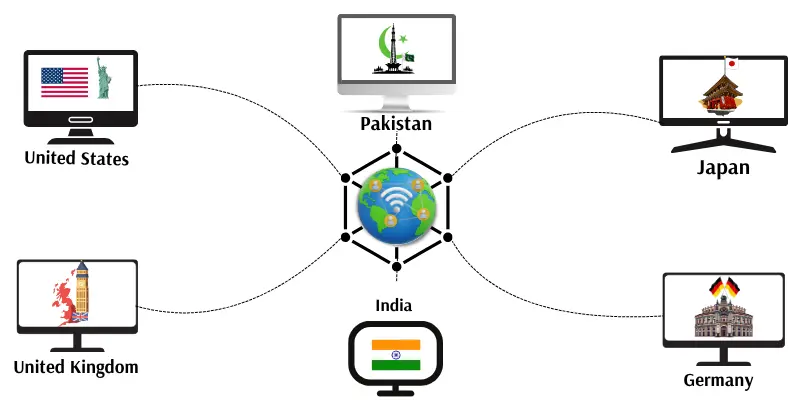
A WAN connects computers and networks across countries and continents, making it the largest type of network. The Internet is the most familiar example. WAN uses telephone lines, satellites, or fiber cables to transmit data, enabling people and businesses to share information globally.
Example:
The Internet links computers and users worldwide, facilitating instant communication and resource sharing.
Advantages:
- Covers vast geographic areas
- Connects computers globally
- Enables long-distance data sharing
- Supports global communication
- Ideal for large organizations and governments
Disadvantages:
- Expensive to set up and maintain
- Slower speeds compared to LAN and MAN
- Higher risk of hacking
- Troubleshooting is complex
- Requires strong security measures
PAN (Personal Area Network)
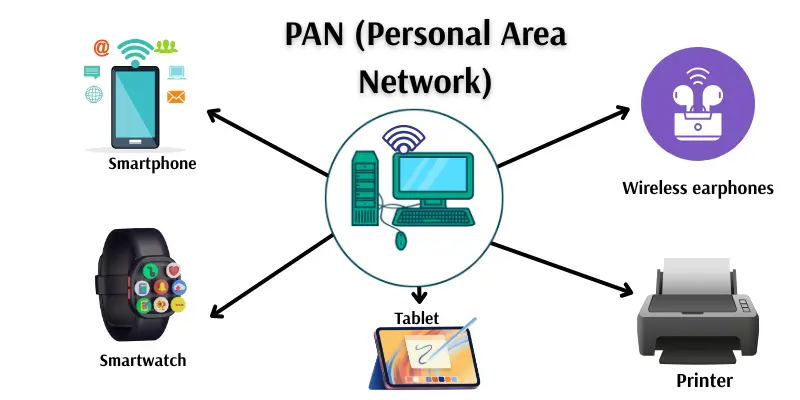
A PAN connects devices within a very short range, typically just a few meters around a user. It links personal devices like phones, laptops, tablets, or Bluetooth gadgets, making it the smallest type of computer network. PAN allows quick and easy data sharing between a person’s devices.
Example:
Connecting a smartphone to wireless earphones via Bluetooth is an example of a Personal Area Network.
Advantages:
- Easy to use and portable
- No cables required
- Quick connection between personal devices
- Low setup cost
Disadvantages:
- Limited coverage
- Suitable for one user only
- Slower data transfer
- Basic security
- Supports only a few devices
CAN (Campus Area Network)
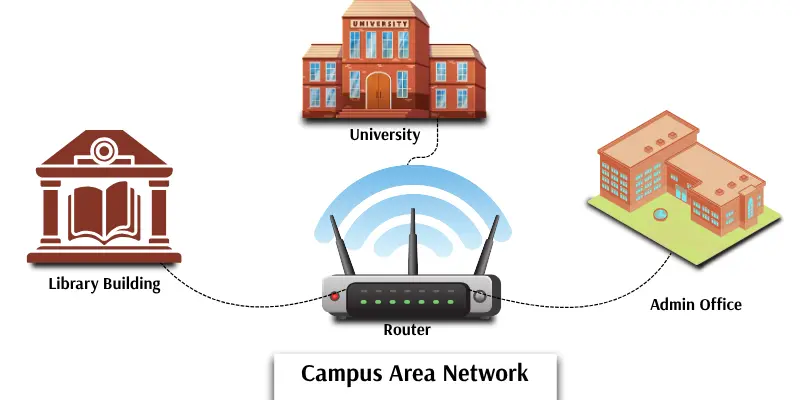
A CAN connects computers and networks across a campus, such as a school, college, or university. Larger than a LAN but smaller than a MAN, it allows students, teachers, and staff to share files, printers, and internet access efficiently. CAN ensures fast and reliable communication within the campus.
Example:
All university computers, including labs and offices, connect through a Campus Area Network for seamless resource sharing.
Advantages:
- Fast and reliable communication
- Easy data and internet sharing
- Connects multiple buildings
- Enhances campus collaboration
Disadvantages:
- Expensive to install and maintain
- Requires skilled staff for management
- Performance may slow with many users
- Limited to a single campus
- Needs proper security setup
Wired Network
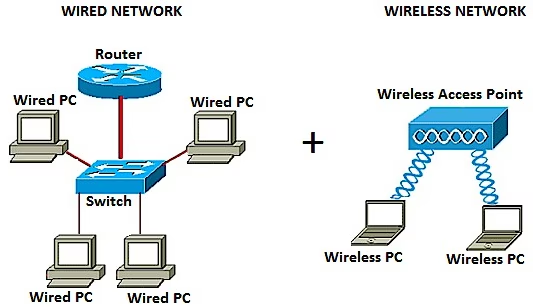
A wired network connects computers using cables, making it one of the oldest and most reliable network types. Data travels through cables, providing fast, stable, and secure connections. Wired networks are commonly used in offices, schools, and computer labs, offering strong performance without signal loss.
Example:
Computers in a school lab connected via Ethernet cables form a wired network.
Advantages:
- Fast and stable connections
- Secure from wireless interference
- Handles large data transfers efficiently
- Less risk of hacking
- Reliable for offices and schools
Disadvantages:
- Requires cables and installation
- Difficult to move devices
- Setup can be costly
- Not ideal for mobile devices
- Can create clutter with many wires
Wireless Network
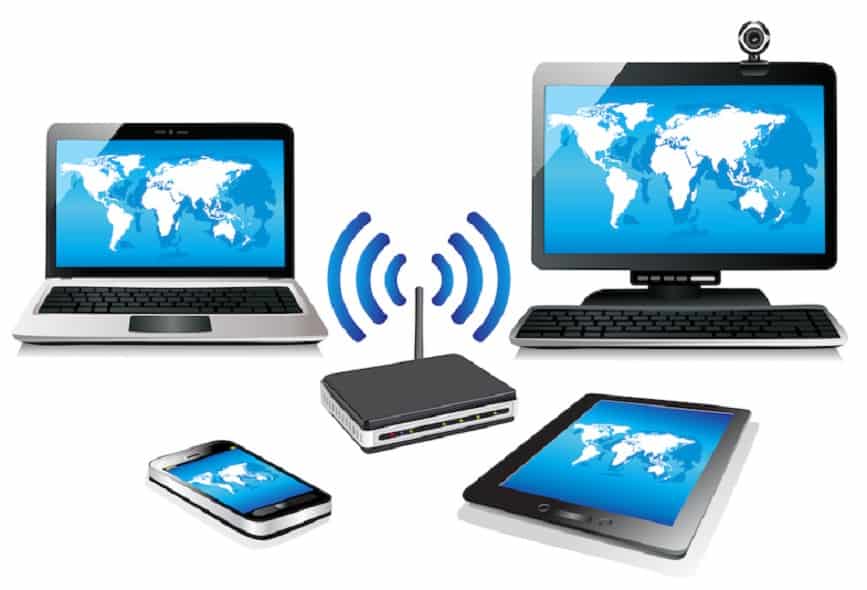
A wireless network connects devices without cables, using radio signals or Wi-Fi to share data. It allows users to stay connected while moving freely and is commonly used in homes, offices, schools, and public areas. Wireless networks make communication convenient and flexible without physical wires.
Example:
Connecting your phone and laptop to the internet at home via Wi-Fi is a common wireless network setup.
Advantages:
- No cables required
- Devices can move freely
- Easy to install and use
- Connects multiple devices simultaneously
- Ideal for homes and offices
Disadvantages:
- Slower than wired networks
- Performance affected by distance or obstacles
- Less secure without protection
- Connections may drop occasionally
- Requires Wi-Fi-enabled devices
Client-Server Network
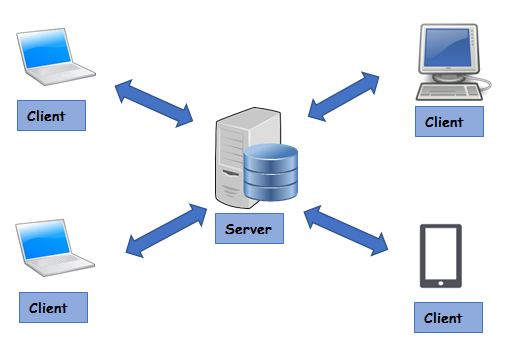
In a client-server network, a powerful computer called the server manages and shares data with smaller client computers. The server stores all files, controls access, and provides resources like internet and applications. Clients send requests to the server for information or services. This setup is widely used in offices, schools, and businesses, centralizing data management and improving security.
Example:
In an office, employees’ computers (clients) access files and resources stored on a central server.
Advantages:
- Centralized and easy to manage
- Secure data storage
- Efficient file sharing among users
- Organized backups
- Improved data security
Disadvantages:
- High setup cost
- Network stops if the server fails
- Requires skilled management
- Performance may slow with heavy use
- Clients rely on the main server
Peer-to-Peer (P2P) Network
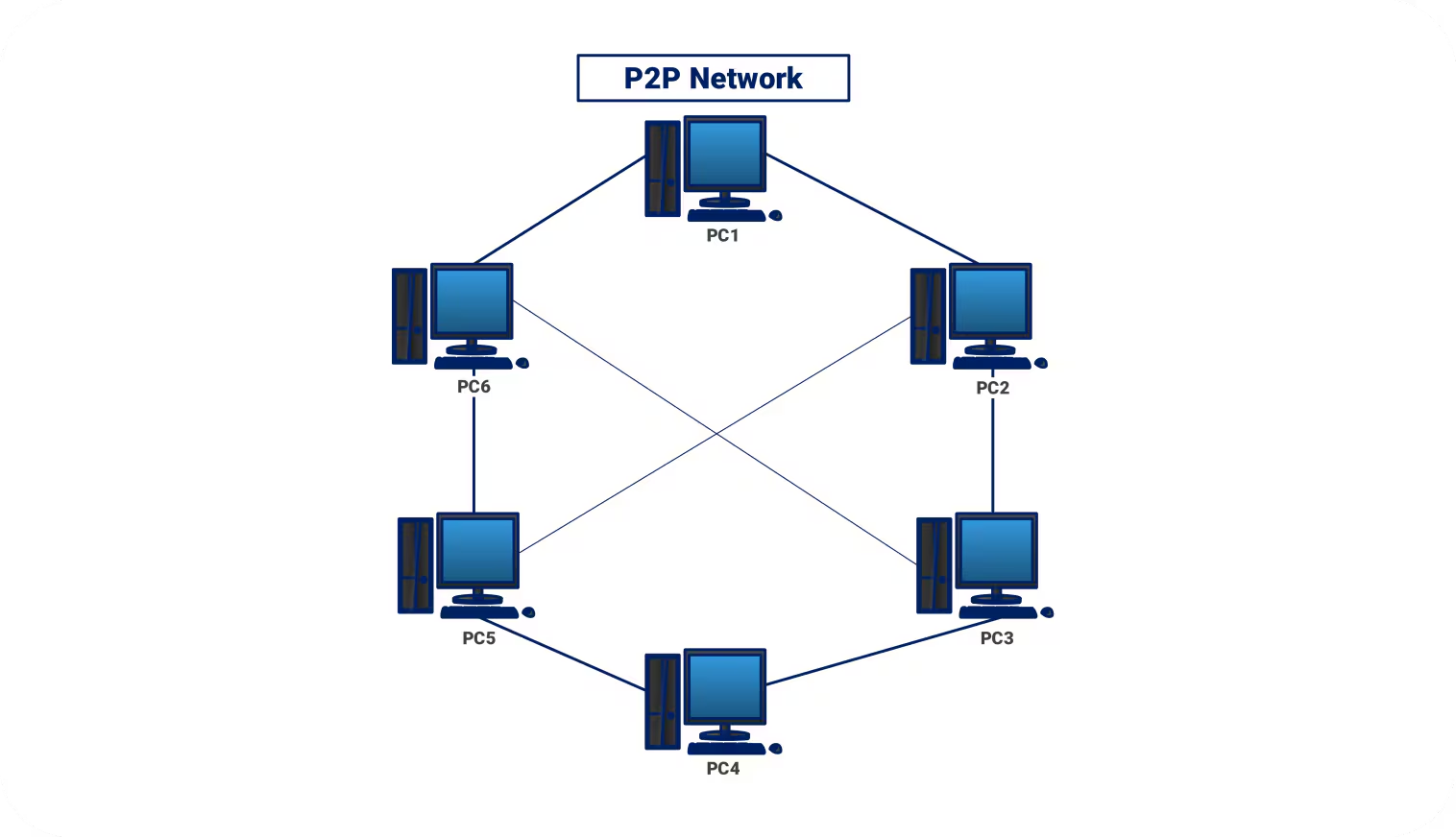
A Peer-to-Peer network connects computers directly, where each device acts as both client and server. Devices can share files, printers, or data without a central server. P2P networks are ideal for small offices or homes with just a few computers, offering a simple and low-cost setup.
Example:
Two home computers sharing files or a printer directly form a Peer-to-Peer network.
Advantages:
- Easy and inexpensive to set up
- No central server required
- Simple file and printer sharing
- Works well for small networks
- No expert management needed
Disadvantages:
- Less secure than client-server networks
- Difficult to manage many devices
- Files can be lost or misplaced
- Slower performance with multiple users
- Not suitable for large organizations
Public Network
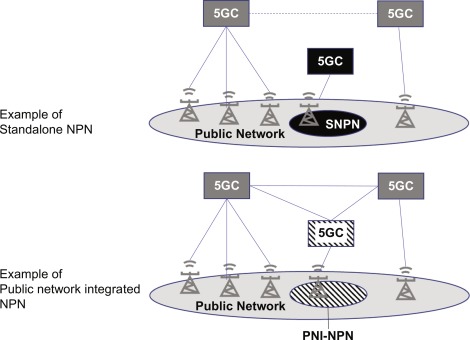
A public network is accessible to anyone and isn’t owned by a single person or organization. The Internet is the most common example. Public networks allow users to connect and share information freely, though they are less secure due to high traffic and multiple users.
Example:
Using free Wi-Fi at a café or park is a typical public network scenario.
Advantages:
- Easy access from anywhere
- No setup cost
- Connects people globally
- Supports public communication
- Handles many users
Disadvantages:
- Not secure for private data
- Can slow down with heavy use
- Higher risk of hacking
- No control over users
- Limited security protections
Private Network
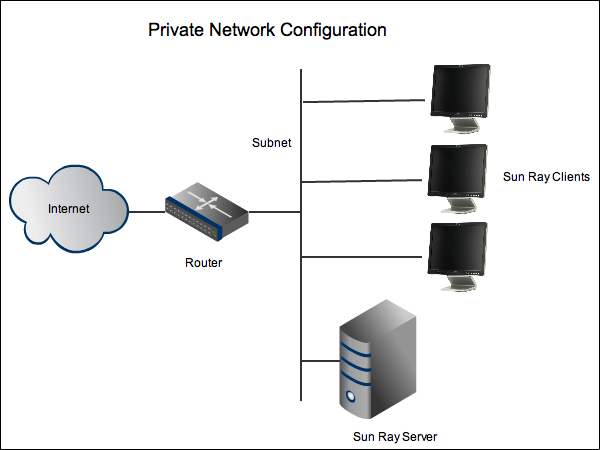
A private network is restricted to a single person, group, or organization, protected by passwords and security tools. It ensures data remains safe and confidential, providing fast and secure communication within the network. Private networks are commonly used by schools, banks, and businesses.
Example:
A company’s internal network accessible only to employees is a private network.
Advantages:
- Secure and protected connection
- Data privacy ensured
- Fast performance within the network
- Easy user management
- Controlled by a single organization
Disadvantages:
- Expensive to set up and maintain
- Limited access for outsiders
- Requires skilled staff for management
- Difficult to access remotely
- Network can fail without proper oversight
Virtual Private Network (VPN)
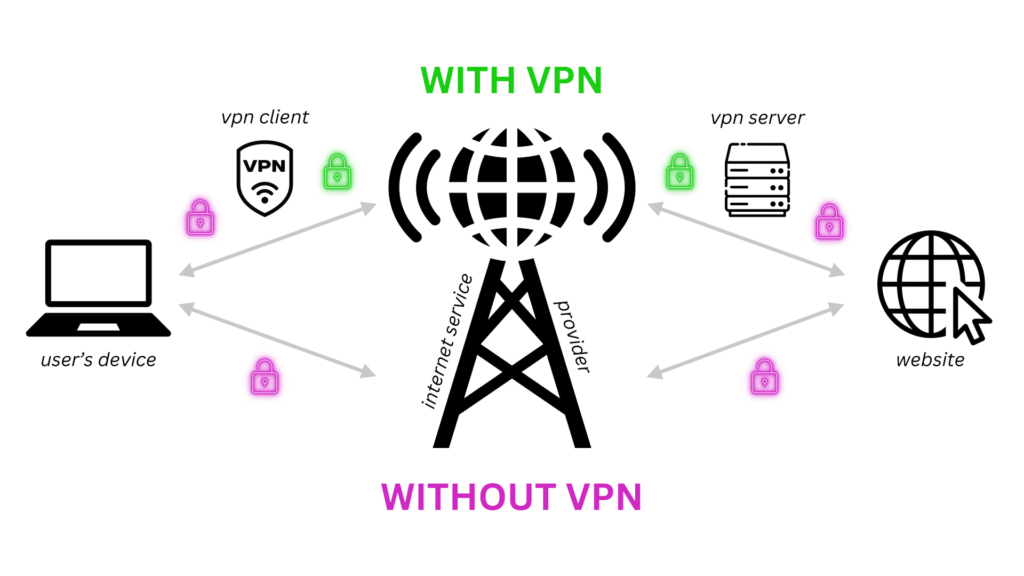
A VPN allows users to connect to another network over the internet securely and privately. It hides your real location and encrypts data, protecting information from hackers. VPNs are widely used by individuals and companies to safeguard online activity and maintain privacy.
Example:
When an employee works from home and connects securely to their office network via a VPN app, they are using a Virtual Private Network.
Advantages:
- Ensures safe and private internet connection
- Hides real location
- Protects data from hackers
- Enables secure remote work
- Provides access to blocked websites
Disadvantages:
- May slow down internet speed
- Some VPNs require payment
- Performance depends on internet strength
- Needs initial setup
- Can disconnect if signal is weak
Wireless Sensor Network (WSN)
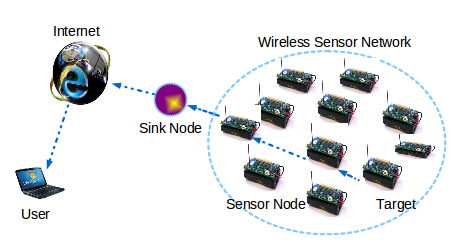
A Wireless Sensor Network (WSN) consists of numerous small sensors that collect data such as temperature, light, or motion. These sensors send information wirelessly to a central computer for monitoring and analysis. WSNs are commonly used in farms, hospitals, and smart cities to enable real-time decision-making and automation.
Example:
Air quality sensors in a smart city that report data to a central control center are part of a Wireless Sensor Network.
Advantages:
- No cables required
- Easy installation in any location
- Automated data collection
- Covers large outdoor areas
- Supports smart systems like cities and farms
Disadvantages:
- Requires power to operate
- Limited signal range
- Data can be affected by weather
- Replacing sensors can be costly
- Security may be weak in open areas
Frequently Asked Questions
What is a computer network?
A computer network is a group of connected devices that share data, resources, and internet access. Networks can range from a few devices in a home to global systems like the Internet.
What are the main types of computer networks?
The main types include PAN, LAN, CAN, MAN, WAN, Wired, Wireless, Client-Server, Peer-to-Peer (P2P), Public, Private, VPN, and Wireless Sensor Networks (WSN). Each serves different purposes and coverage areas.
What is the difference between LAN, MAN, and WAN?
LAN covers a small area like a home or office. MAN spans a city, connecting multiple LANs. WAN connects networks across countries or globally, like the Internet.
What is the advantage of a wireless network over a wired network?
Wireless networks offer mobility, easy installation, and the ability to connect multiple devices without cables. Wired networks, however, are faster, more stable, and more secure.
What is the purpose of a VPN?
A VPN provides a secure and private connection over the internet, hiding your real location and protecting data from hackers, often used for remote work or accessing restricted websites.
Are public networks safe?
Public networks are less secure because anyone can access them. They are suitable for general browsing, but sensitive data should be protected using tools like VPNs.
How do private networks differ from public networks?
Private networks are restricted to specific users or organizations, providing secure, fast communication. Public networks are open to anyone, less secure, and may have slower performance due to heavy usage.
Conclusion
Computer networks form the backbone of our digital world, connecting devices, sharing resources, and enabling communication across homes, offices, cities, and even globally. From small personal networks like PANs to vast global systems like WANs, each type serves a unique purpose, offering specific advantages and limitations.