
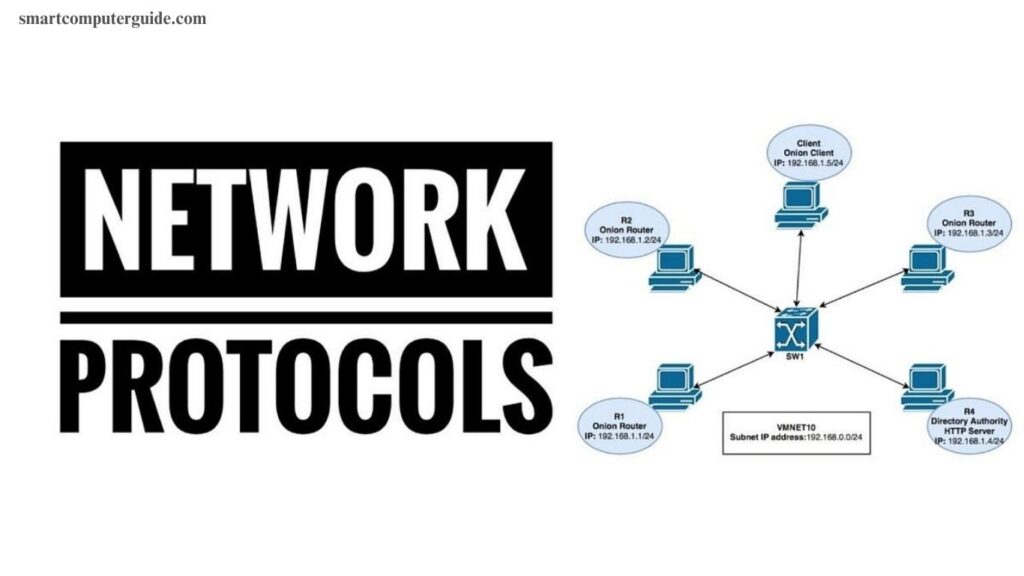
Understanding computer network protocols is essential for anyone working with networking, IT, or cybersecurity. These protocols define the rules and standards that allow devices to communicate efficiently over a network, ensuring data is transmitted accurately and securely. From TCP/IP and HTTP to FTP and DNS, each protocol has a specific role in managing connections, data transfer, and error handling.
Mastering these protocols improves network performance, troubleshooting, and security. This comprehensive guide breaks down key protocols, their functions, and practical applications, offering a clear roadmap for professionals and enthusiasts alike.
Read More: Best Online ePGD Programs in Computer Science & Engineering
What Is a Computer Network Protocol?
A computer network protocol is a set of rules that enables devices to communicate effectively. It guides computers on how to send, receive, and manage data, ensuring information reaches the correct destination safely. Protocols also handle errors and maintain smooth communication. Without them, networks would be unreliable and slow.
Why Are Network Protocols Important?
Network protocols are crucial for fast, secure, and accurate communication between computers. They:
- Enable easy device-to-device communication
- Ensure safe and orderly data transfer
- Connect different devices seamlessly
- Keep the internet functioning efficiently
How Do Network Protocols Work?
Protocols operate step by step to ensure data is transmitted correctly:
Data Creation: The sender prepares a message or file.
Data Formatting: The protocol splits it into small packets for easy transfer.
Data Transmission: Packets travel via cables or wireless paths following network rules.
Data Receiving: The receiver collects packets and checks for errors.
Data Reading: Packets are reassembled for the user to read or use.
Types of Computer Network Protocols
Computer network protocols come in different types, each designed for a specific function. Some manage device communication, others handle security, applications, routing, or wireless and IoT connections. Understanding these types is key to knowing how networks operate efficiently.
1. Communication Protocols
These protocols enable devices to exchange data accurately and quickly. Examples include:
- TCP (Transmission Control Protocol): Sends data in order.
- UDP (User Datagram Protocol): Fast transfer without error checks.
- ICMP: Reports errors and tests connections.
- ARP / RARP: Maps physical and IP addresses.
- Telnet: Allows remote computer control.
2. Network & Routing Protocols
Routing protocols guide data along the best path across networks. Key examples:
- IP: Assigns addresses to devices.
- RIP & OSPF: Find shortest or efficient routes.
- BGP: Connects large networks.
- DHCP: Automatically assigns IP addresses.
- SNMP: Monitors network devices.
3. Application Layer Protocols
These protocols support online services, making apps communicate smoothly:
- HTTP / HTTPS: Open web pages securely.
- FTP / SFTP: File transfer safely.
- SMTP / POP3 / IMAP: Manage emails.
- DNS: Converts domain names to IP addresses.
4. Security Protocols
Security protocols protect data and maintain privacy:
- SSL / TLS: Encrypt data between users and websites.
- SSH: Secure remote access.
- PPTP / L2TP / OpenVPN: Safeguard VPN connections.
5. Wireless & IoT Protocols
These enable devices to connect wirelessly and interact:
- Bluetooth: Connects phones, speakers, and computers.
- ZigBee: Links smart home devices.
- MQTT / CoAP: Fast, secure IoT communication.
Key Elements of a Network Protocol
Network protocols rely on several essential elements to ensure accurate and efficient communication. These elements guide devices on how to send, receive, and interpret data while ensuring messages reach their destination safely.
Key Elements:
Syntax: Defines the structure and format of the data.
Semantics: Explains the meaning of each part of the message.
Timing: Controls when data is sent and its transmission speed.
Error Control: Detects and corrects mistakes in the data.
Flow Control: Regulates data transfer to prevent network overload.
Protocol Hierarchies & Models
Network protocols operate in structured layers, with each layer handling specific tasks to ensure smooth and organized data transfer between devices. These layers follow established models that simplify communication and improve efficiency.
Common Protocol Models:
OSI Model: A seven-layer model illustrating how data moves from one computer to another.
TCP/IP Model: A four-layer model widely used across the Internet for reliable communication.
Hybrid Model: Combines elements of OSI and TCP/IP models to optimize data transfer.
Advantages and Disadvantages of Computer Network Protocols
Computer network protocols are essential for efficient communication, but they come with both benefits and limitations. Understanding these helps optimize network performance.
Advantages:
- Protect data from hackers and unauthorized access
- Manage heavy network traffic effectively
- Detect and fix network errors quickly
- Maintain speed during large data transfers
- Ensure all devices follow consistent communication rules
Disadvantages:
- Updating or changing protocols can be difficult
- May be incompatible with older systems
- Depend on stable internet or network connections
- Require skilled personnel for management
- Can slow down performance in very large networks
Frequently Asked Questions
What is a computer network protocol?
A computer network protocol is a set of rules that allows devices to communicate efficiently, ensuring data is sent, received, and understood correctly.
Why are network protocols important?
They enable safe, fast, and accurate communication between devices, connect multiple devices, and keep the internet running smoothly.
What are the main types of network protocols?
The main types include communication protocols, network/routing protocols, application layer protocols, security protocols, and wireless/IoT protocols.
How do network protocols work?
Protocols guide data step by step—from creation, formatting into packets, transmission, receiving, to reassembly—ensuring error-free delivery.
What are the key elements of a protocol?
Key elements include syntax, semantics, timing, error control, and flow control, which together ensure smooth data transfer.
What are common protocol models?dvantages of network protocols?
Advantages: secure data transfer, error handling, and traffic management. Limitations: updates can be hard, may need skilled management, and can slow down in large networks.
Conclusion
Computer network protocols are the backbone of modern digital communication. They ensure devices exchange data safely, efficiently, and accurately while supporting secure connections, error handling, and smooth network operations. Understanding the different types, key elements, and protocol models helps IT professionals, businesses, and tech enthusiasts optimize networks and troubleshoot issues effectively.