
Every Windows user relies on software daily, whether it’s typing documents, streaming music, playing games, or joining video calls. With countless applications available, some programs have become essential tools for productivity, communication, and entertainment. But which ones are truly the most popular among users? In this guide, we explore the Top 10 Most Used Windows PC Software, highlighting applications that dominate both work and leisure.
From indispensable office tools to favorite entertainment apps, this list covers the software that keeps millions of Windows users connected, productive, and entertained every day.
Read More: Computer Games: Complete Guide with Types and Examples
What is Windows PC Software?
Windows PC software is a program that instructs your computer on how to perform tasks. Without it, a computer cannot function. There are two main types: system software, which runs the computer and other programs (like Windows OS and drivers), and application software, which lets you complete specific tasks, such as using Microsoft Office, Google Chrome, or other productivity and entertainment apps.
Top 10 Most Used Windows PC Software
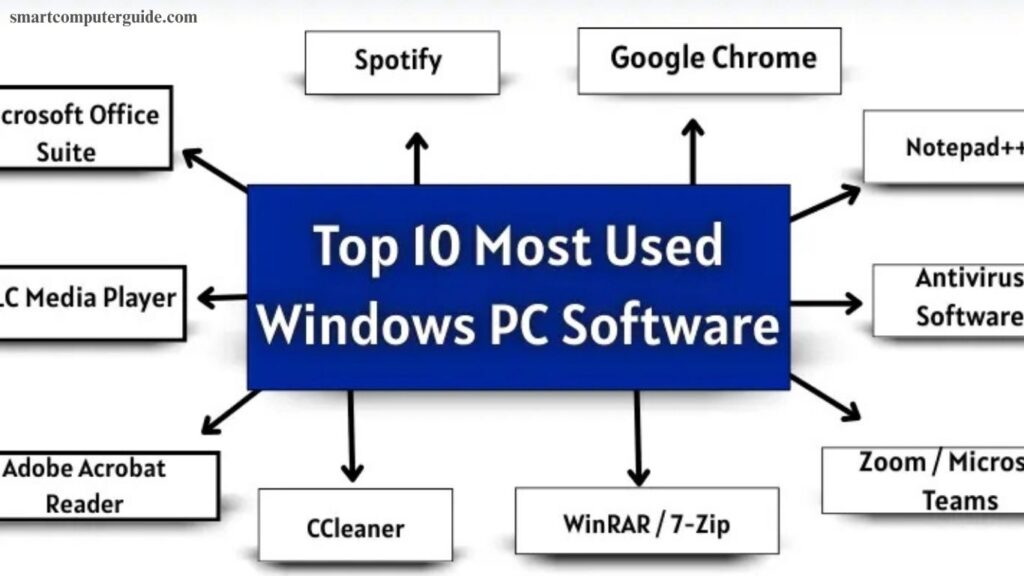
Millions of people use Windows PCs daily for work, study, and entertainment. Certain software programs have become essential, appearing on nearly every system. Here’s a list of the Top 10 Most Used Windows PC
Software:
- Microsoft Office Suite
- Google Chrome
- VLC Media Player
- Adobe Acrobat Reader
- WinRAR / 7-Zip
- Antivirus Software (Windows Defender / Avast / Bitdefender)
- Zoom / Microsoft Teams
- Spotify / iTunes / Music Players
- Notepad++ / Sublime Text / Visual Studio Code
- CCleaner / System Optimization Software
1. Microsoft Office Suite
Microsoft Office Suite is a collection of programs designed to simplify work, study, and communication on Windows PCs. While most features require a paid license, limited free versions are also available online, with the full version accessible via the official Microsoft website.
Key Features:
- Word: Create and format documents, check spelling and grammar
- Excel: Analyze data, build tables, generate charts
- PowerPoint: Design presentations with images, videos, and animations
- Outlook: Manage emails, calendar, and contacts
Target Users: Students, professionals, and businesses
2. Google Chrome
Google Chrome is a fast, reliable, and widely used web browser for Windows PCs. Free to use, it allows users to browse websites, stream videos, and search for information efficiently.
Key Features:
- Website Browsing: Access sites quickly and securely
- Extensions: Enhance productivity with add-ons
- Sync Across Devices: Access bookmarks, history, and passwords anywhere
- Incognito Mode: Private browsing without saving history
Target Users: Students, professionals, and anyone using the internet
3. VLC Media Player
VLC Media Player is a free, versatile software for playing videos and music on Windows PCs. It supports almost all file formats and runs smoothly even on older computers.
Key Features:
- Video Playback: Watch movies and video files in various formats
- Audio Playback: Listen to music in multiple audio formats
- Customizable Settings: Adjust video and audio for optimal experience
- Lightweight: Fast performance, even on older PCs
Target Users: Students, professionals, and entertainment enthusiasts

4. Adobe Acrobat Reader
Adobe Acrobat Reader allows Windows users to view and edit PDF files. While most features are free, advanced tools require a paid version.
Key Features:
- View PDFs: Open and read documents easily
- Edit PDFs: Add comments, highlight text, fill forms (paid version)
- Secure Files: Protect PDFs with passwords
- Print PDFs: Print documents directly
Target Users: Students, professionals, and businesses
5. WinRAR / 7-Zip
WinRAR and 7-Zip are essential tools for compressing and extracting files on Windows PCs. While WinRAR is primarily paid, 7-Zip is free and open-source.
Key Features:
- Compress Files: Reduce file size to save storage
- Extract Files: Open compressed files easily
- Secure Files: Protect archives with passwords
- Format Support: Compatible with ZIP, RAR, 7Z, and more
Target Users: Students, professionals, and anyone who shares or stores files
6. Antivirus Software (Windows Defender / Avast / Bitdefender)
Antivirus software safeguards Windows PCs from viruses and malware, ensuring safe browsing and work. Some programs are free, while others require a paid license for advanced features.
Key Features:
- Protect PC: Scan and remove viruses and malware
- Real-Time Protection: Block threats as you work
- Automatic Updates: Stay secure with the latest virus definitions
- Extra Tools: Firewalls, password managers, and additional security features
Target Users: Students, professionals, and anyone using a Windows PC
7. Zoom / Microsoft Teams
Zoom and Microsoft Teams enable video calls and online meetings, helping users collaborate from anywhere. Basic features are free, while advanced tools require a paid subscription.
Key Features:
- Video Calls: Communicate face-to-face online
- Screen Sharing: Present your screen during meetings
- Chat & Collaboration: Send messages and share files
- Meeting Recording: Save sessions to watch later (paid feature)
Target Users: Students, professionals, and remote teams
8. Spotify / iTunes / Music Players
Spotify, iTunes, and other music players let Windows users stream and enjoy music anytime. While basic features are free, premium options offer extra benefits.
Key Features:
- Listen to Music: Play songs in various formats
- Create Playlists: Organize favorites easily
- Download Songs: Offline listening with premium
- Discover New Music: Explore albums and artists
Target Users: Students, professionals, and music enthusiasts
9. Notepad++ / Sublime Text / Visual Studio Code
Notepad++, Sublime Text, and Visual Studio Code are powerful tools for writing and editing text or code. Most features are free, with some advanced options requiring a paid version.
Key Features:
- Write Code or Text: Create programs or documents
- Syntax Highlighting: Makes code easier to read
- Extensions & Plugins: Add tools to enhance productivity
- Lightweight & Fast: Runs efficiently even on older PCs
Target Users: Students, programmers, writers, and developers
10. CCleaner / System Optimization Software
CCleaner and similar tools help clean, speed up, and optimize Windows PCs. Basic features are free, while advanced tools require a paid version.
Key Features:
- Clean Junk Files: Free up disk space
- Fix Errors: Repair system issues for smoother performance
- Optimize Startup: Reduce boot times
- Privacy Protection: Delete browsing history and personal data
Target Users: Students, professionals, and anyone seeking a faster PC
Comparison Table of the Top 10 Most Used Windows Software
Here is a quick comparison between these software.
| Software | Type | Main use | Free / Paid |
| Microsoft Office | Productivity | Docs, Spreadsheets, Email | Paid |
| Google Chrome | Browser | Web browsing | Free |
| VLC Media Player | Media | Play videos/audio | Free |
| Adobe Acrobat Reader | PDF Viewer | Open/edit PDFs | Free |
| WinRAR / 7-Zip | Utility | File compression | Free/ Paid |
| Antivirus | Security | Protect PC | Free/ Paid |
| Zoom / Teams | Communication | Video calls | Free / Paid |
| Spotify | Entertainment | Music streaming | Music streaming |
| Notepad++ / VS Code | Programming | Coding / Text editing | Free |
| CCleaner | Utility | Optimize PC | Free / Paid |
Criteria for Selecting the Top 10 Most Used Windows Software
The top software was selected based on several key factors:
- Popularity: Programs with millions of active users worldwide.
- Frequency of Use: Tools relied on daily or weekly for productivity or entertainment.
- Functionality: Multi-purpose features that solve various tasks, like Microsoft Office.
- Ease of Use: Beginner-friendly interfaces for all skill levels.
- System Compatibility: Works smoothly across Windows versions and hardware.
- Performance & Reliability: Fast, stable, and efficient programs.
- Updates & Security: Regular updates and strong protection.
- Cost-effectiveness: Free or affordable programs with high value.
- Integration: Connects easily with other apps and cloud services.
- User Feedback: Positive ratings and recommendations from users.
Frequently Asked Questions
What is Windows PC software?
Programs that let your computer perform tasks, from system operations to applications like Microsoft Office.
Which software is most popular on Windows PCs?
Microsoft Office, Google Chrome, VLC Media Player, and Adobe Acrobat Reader are among the most widely used.
Are these software programs free?
Some are free (VLC, 7-Zip), while others offer paid versions for full features (Microsoft Office, Adobe Acrobat).
Can I use these programs on older PCs?
Yes, most are optimized to run efficiently on older hardware, especially lightweight tools like VLC and Notepad++.
Which software is best for productivity?
Microsoft Office Suite, Google Chrome, and Notepad++ help with work, study, and coding tasks.
Which software is best for entertainment?
VLC Media Player, Spotify, iTunes, and music players provide seamless media playback.
How do I ensure my PC is safe while using these programs?
Use reliable antivirus software like Windows Defender, Avast, or Bitdefender, and keep programs updated.
How were these top 10 software selected?
Based on popularity, daily usage, functionality, ease of use, reliability, updates, cost, integration, and user reviews.
Conclusion
Windows PCs rely on a mix of essential software to boost productivity, communication, and entertainment. From Microsoft Office and Google Chrome to VLC Media Player and antivirus tools, these programs have become indispensable for students, professionals, and casual users alike. The top 10 software were selected based on popularity, daily usage, functionality, ease of use, and reliability.