
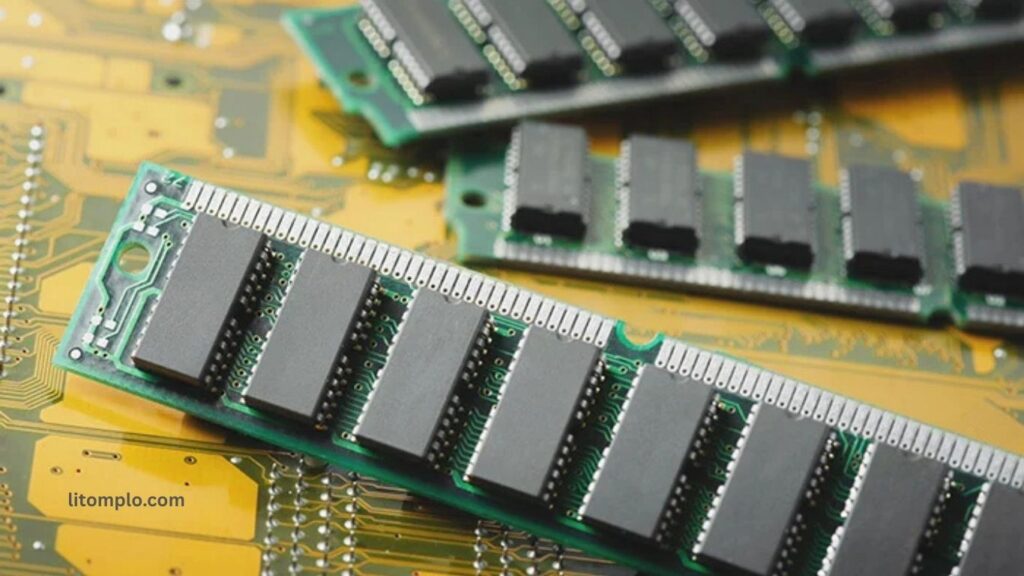
Random Access Memory (RAM) is a critical component in every computer, acting as the system’s short-term memory. It temporarily stores data and instructions that the CPU needs to access quickly, ensuring smooth and efficient performance. The key functions of RAM include speeding up data retrieval, supporting multitasking, and enabling programs and applications to run without delays.
By holding active files and processes, RAM reduces the need to access slower storage drives, directly impacting the system’s responsiveness. Understanding how RAM works helps users optimize their computers for better performance and seamless computing experiences.
Read More: Projector A Complete Introduction
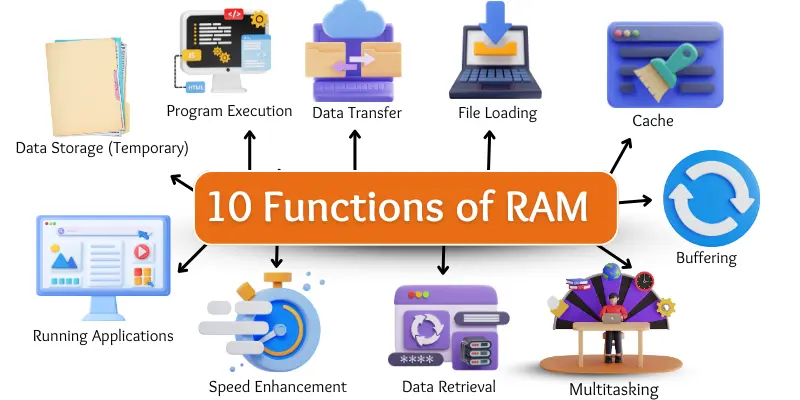
10 Key Functions of RAM
RAM (Random Access Memory) is a crucial computer component that temporarily stores data to enhance system performance. It enables faster access to active programs, supports smooth multitasking, and ensures applications run efficiently. Understanding these 10 key functions of RAM will help you see how it improves your computer’s speed, responsiveness, and overall efficiency.
- Temporary Data Storage
- Program Execution
- Data Transfer
- File Loading
- Caching
- Multitasking Support
- Buffering
- Data Retrieval
- Speed Enhancement
- Running Applications
Temporary Data Storage
RAM stores data temporarily while the computer is on. It holds files and programs for quick access, but all information is lost when the system is turned off, which is why it’s called temporary storage.
Program Execution
RAM loads programs into memory, allowing them to start quickly and run smoothly. Without sufficient RAM, applications would open slowly and perform poorly.
Fast Data Transfer
RAM moves data rapidly between the processor and other components, ensuring tasks are completed efficiently without delays.
Quick File Loading
Files open faster because functions of RAM keeps them ready for the processor. This reduces waiting time when accessing documents, images, or other files.
Caching
RAM stores frequently used data to avoid repeated access from storage, speeding up tasks and improving overall system performance.
Multitasking Support
RAM enables multiple programs to run simultaneously without slowing down the system, allowing seamless switching between tasks.
Buffering
RAM temporarily stores data to ensure smooth playback of videos, music, and games, preventing interruptions or lag.
Data Retrieval
RAM provides rapid access to required information, letting the processor retrieve data instantly and improving workflow efficiency.
Speed Enhancement
By giving the processor quick access to active data, functions of RAM significantly reduces waiting times, making programs and games run faster.
Running Applications
RAM allocates memory space for applications to function efficiently, ensuring responsiveness and preventing slowdowns in software performance.
Frequently Asked Questions
What is RAM?
RAM (Random Access Memory) is a temporary memory in computers that stores data and programs while the system is running.
Why is RAM important?
It improves computer speed, enables multitasking, and allows programs and files to open and run smoothly.
How does RAM differ from storage?
RAM is temporary and loses data when the computer is off, while storage (like HDD or SSD) keeps data permanently.
How much RAM do I need?
For basic tasks, 4–8GB is sufficient. For gaming, video editing, or heavy multitasking, 16GB or more is recommended.
Can I upgrade RAM?
Yes, most desktops and laptops allow RAM upgrades to improve performance.
Does more RAM make my computer faster?
Yes, more RAM allows smoother multitasking and faster program execution, especially with demanding applications.
What types of RAM are there?
Common types include DDR3, DDR4, and DDR5, with DDR5 being the latest and fastest standard.
What happens if RAM is full?
The system slows down as it uses slower storage as virtual memory to handle tasks.
How do I check my RAM?
On Windows, use Task Manager → Performance. On Mac, use About This Mac → Memory.
Conclusion
RAM plays a vital role in a computer’s performance, enabling faster program execution, smooth multitasking, and quick data access. By temporarily storing active files and supporting efficient data transfer, RAM ensures your system runs seamlessly. Understanding its functions helps users optimize their computers for better speed, responsiveness, and overall productivity. Investing in sufficient RAM is essential for anyone looking to enhance their computing experience, whether for everyday tasks, gaming, or professional applications.