
More than 5 billion people worldwide use the internet every day. It allows users to watch videos, send messages, browse websites, and find information within seconds. Fast access to knowledge and communication makes the internet an essential part of modern life. Many beginners often ask what the internet is in a computer and how it actually works. Understanding this concept helps people use technology more effectively.
This beginner-friendly guide explains the meaning of the internet, how computers connect to it, and how data travels across networks. Clear explanations and simple examples will help readers easily understand the basics of the internet and its role in everyday digital communication and online services.
Read More: 10 Advantages and disadvantages of Internet – With Examples
What is Internet in Computer?
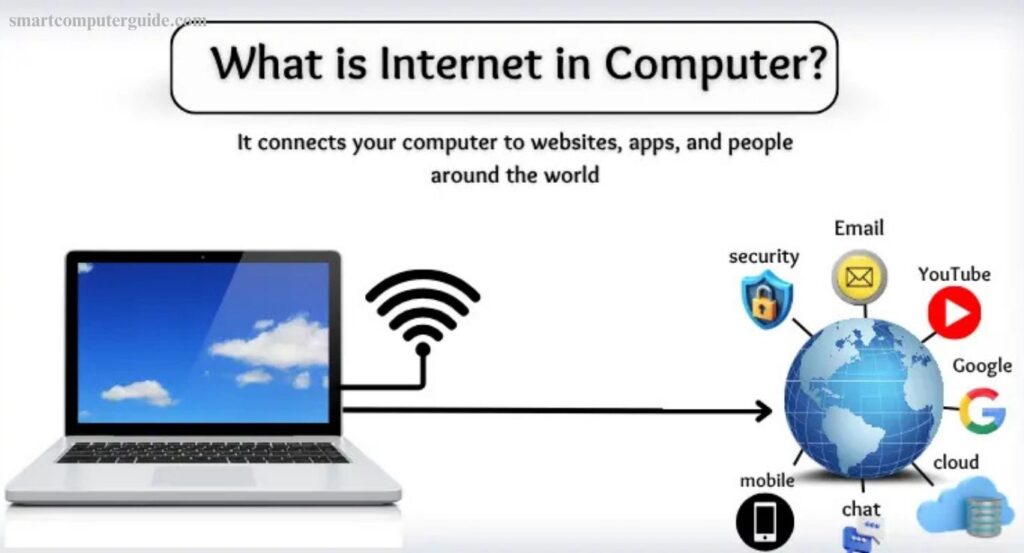
Internet in a computer refers to a global network that connects your computer with millions of other computers around the world. This connection allows devices to send, receive, and share information within seconds. Users can watch videos, read news, browse websites, or communicate with friends online through this network.
Computers connect to the internet using devices such as a modem, router, or Wi-Fi connection. Once connected, the computer can access websites, online services, and digital content easily. In simple terms, the internet enables a computer to go online, communicate with other systems, and explore the vast digital world quickly and efficiently.
History of the Internet
Internet technology plays a major role in everyday life. People rely on it to watch videos, complete homework research, send emails, and play online games. However, the internet did not appear suddenly. Researchers and engineers developed it gradually through years of innovation and technological progress.
Beginning of the Internet
Internet history started in the 1960s when the United States Department of Defense created an experimental network called ARPANET. This network connected computers at universities and research institutions, allowing them to share information quickly. ARPANET became the foundation for the modern internet and proved that computers could communicate across long distances.
Stronger Internet with TCP/IP
During the 1970s, computer scientists Vint Cerf and Bob Kahn developed the communication protocol known as Transmission Control Protocol/Internet Protocol. This technology allowed multiple networks to connect and exchange data efficiently. TCP/IP later became the standard system that powers communication across the global internet.
World Wide Web Changes Everything
Major progress arrived in 1989 when Tim Berners-Lee invented the World Wide Web. He also introduced technologies such as HTML and URL, which made websites accessible to everyone. During the 1990s, the internet expanded rapidly and became widely used in homes, schools, and workplaces around the world.
How Does the Internet Work in a Computer?
Internet technology connects your computer with other devices to exchange and access information online. Several systems work together to deliver data quickly. The process follows these simple steps:
- Browser sends a request: A browser such as Google Chrome or Mozilla Firefox requests a website or file.
- Router forwards the request: The router receives the request and sends it to the internet network.
- Request reaches a server: The request travels through cables or wireless signals to a powerful computer called a server.
- Server finds the data: The server searches for the required webpage or file.
- Data returns to the computer: The server sends the information back through the network.
- Browser displays the result: The browser loads the website, video, or file on your screen.
Types of Internet
The internet is available in several forms, each offering different speeds and connectivity methods. Understanding these types helps you choose the best option for your needs:
- Dial-up Internet: Connects through a telephone line and offers very slow speeds.
- DSL (Digital Subscriber Line): Uses phone lines but is faster than dial-up.
- Cable Internet: Delivers high-speed internet via TV cables.
- Fiber Optic Internet: Transfers data through light signals, offering extremely fast speeds.
- Satellite Internet: Connects via satellites, suitable for remote areas.
- Wireless (Wi-Fi): Enables devices to connect without cables.
- Mobile Data (3G/4G/5G): Provides internet through mobile networks, ideal for smartphones and tablets.
Basic Internet Terms
Using the internet introduces many new words, known as internet terms. Here are the essential ones explained simply:
- Website: An online platform that displays information, images, or videos.
- Browser: A program like Google Chrome or Mozilla Firefox used to access websites.
- URL: The web address you enter to visit a site (e.g., www.google.com).
- Link: A clickable word or image that directs you to another page.
- Search Engine: A tool like Google Search to find information online.
- Download: Saving files such as pictures or videos from the internet to your computer.
- Upload: Sending files from your computer to the internet.
- Wi-Fi: A wireless connection to access the internet.
- Email: Sending messages through the internet.
- Internet: A global network connecting millions of computers worldwide.
Advantages and Disadvantages of the Internet
The internet is a powerful tool that improves communication, learning, work, and entertainment. However, it also comes with drawbacks. Understanding both sides helps use it responsibly.
Advantages of the Internet
- Enables fast and easy communication
- Provides access to vast information and knowledge
- Supports online learning and education
- Facilitates online shopping and banking
- Offers social media and entertainment
- Allows work from home opportunities
- Assists in research and projects
- Saves time and effort
- Helps with navigation and travel planning
- Provides cloud storage for files
Disadvantages of the Internet
- Can waste time if overused
- Exposure to cyberbullying and online scams
- Health issues from prolonged screen time
- Risk of fake news and misinformation
- Threats to privacy
- Addiction to games and social media
- Possibility of online cheating in studies
- Can encourage laziness
- Vulnerable to hackers and viruses
- Access to inappropriate content for children
Frequently Asked Questions
What is the internet?
The internet is a global network that connects millions of computers, allowing them to share information and communicate.
How does a computer connect to the internet?
A computer connects using devices like a modem, router, Wi-Fi, or mobile data to access online networks.
What is a browser?
A browser is software like Google Chrome or Mozilla Firefox that opens websites and online content.
What are the main types of internet?
Common types include Dial-up, DSL, Cable, Fiber Optic, Satellite, Wi-Fi, and Mobile Data (3G/4G/5G).
How is the internet used in daily life?
It is used for communication, online learning, shopping, banking, entertainment, work, gaming, and cloud storage.
What is a URL?
A URL is the web address you type to visit a website, such as www.google.com
What are the advantages of the internet?
It enables fast communication, access to information, online education, shopping, entertainment, and cloud storage.
What are the disadvantages of the internet?
Overuse can lead to wasted time, addiction, health issues, cyberbullying, privacy loss, fake news, and exposure to harmful content.
How can I stay safe online?
Use strong passwords, avoid suspicious websites, update software, and be cautious when sharing personal information.
Conclusion
The internet has transformed how we live, work, and communicate. It offers fast access to information, online learning, entertainment, shopping, and remote work opportunities. At the same time, it comes with risks like cyber threats, privacy concerns, and addiction. By understanding how the internet works, its types, uses, and basic terms, users can maximize its benefits while staying safe. Responsible and informed use ensures that the internet remains a powerful tool for learning, productivity, and connection in our daily lives.