
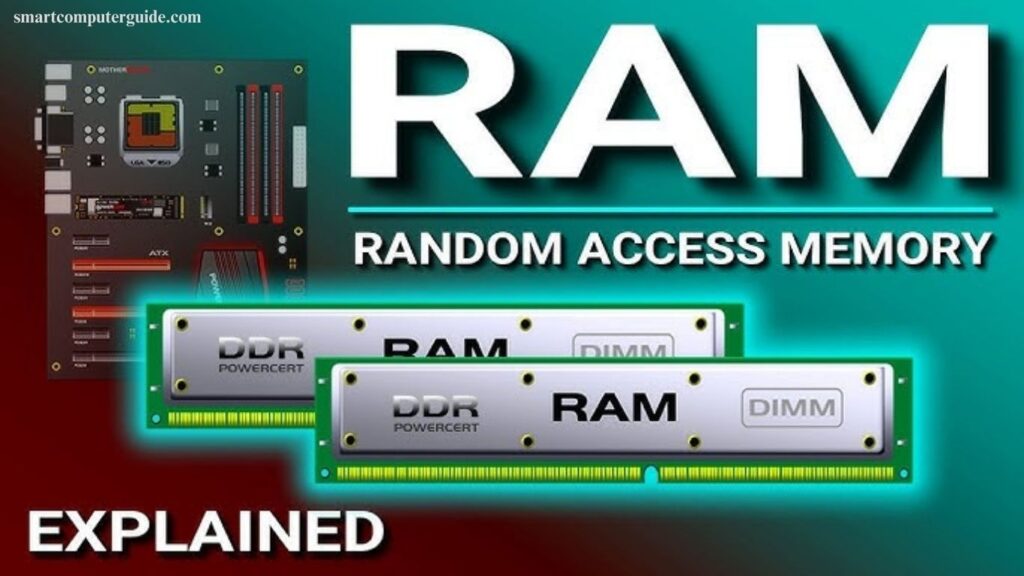
RAM, or Random Access Memory, is a vital component that directly affects your computer’s speed and performance. It temporarily stores data from active applications, allowing your system to access information quickly and run multiple programs smoothly. Many beginners find the concept confusing, especially when comparing RAM with permanent storage like ROM or hard drives. This guide breaks down RAM in simple, easy-to-understand terms, explaining how it works, why it matters, and how it impacts everyday tasks like browsing, gaming, or running software. By the end, you’ll understand RAM’s role in keeping your computer fast and efficient.
Read More: Graphic Tablet Explained in Easy Words
What is RAM?
RAM, or Random Access Memory, temporarily stores data while your computer is running, helping it remember active tasks. It speeds up performance by keeping apps, games, and processes ready for quick access. As a crucial component of any computer, RAM ensures smooth multitasking and faster operation, allowing your system to handle multiple programs without slowing down. Understanding RAM is key to improving your computer’s efficiency and overall responsiveness.

Why RAM is Important
RAM plays a key role in keeping your computer fast and responsive. It allows multiple apps to run simultaneously without slowing down your system and ensures smooth performance for games, videos, and other tasks.
Benefits of RAM:
- Speeds up your computer’s overall performance
- Enables multitasking with multiple apps open
- Supports smooth gaming and video playback
- Temporarily stores active work for quick access
- Prevents your device from freezing or lagging
With enough RAM, your computer works efficiently and handles tasks seamlessly.
How Does RAM Work?
RAM acts as a high-speed assistant inside your computer, temporarily storing data for quick access. When you turn on your device, essential files load into RAM. Opening apps like games or Word keeps them ready for immediate use. RAM rapidly sends data to the CPU for processing and manages memory when multiple apps run simultaneously. Once you close an app or shut down the computer, RAM clears all temporary data, ensuring smooth performance every time you start fresh.
Types of RAM
RAM comes in different types, each designed to improve your computer’s performance in specific ways. Here are the five most common types:

1. Static RAM (SRAM)
- Extremely fast and doesn’t need constant refreshing
- Retains data as long as power is on
- Used in small parts like cache memory
- More expensive than other types
2. Dynamic RAM (DRAM)
- Most common type, needs frequent refreshing
- Stores data temporarily
- Slower than SRAM but affordable
- Serves as main memory in most computers
3. DDR RAM (Double Data Rate RAM)
- Enhanced version of DRAM with faster speeds
- Versions include DDR1, DDR2, DDR3, DDR4, and DDR5
- DDR5 is the newest and fastest for modern systems
4. VRAM (Video RAM)
- Special RAM for graphics, videos, and games
- Stores image and video data
- Used in graphics cards for smooth visuals
5. Mobile RAM
- Designed for smartphones and tablets
- Runs apps and games efficiently
- Fixed inside devices and cannot be upgraded
Functions of RAM
RAM performs several essential tasks that keep your computer fast and efficient:
- Temporarily stores data for active tasks
- Loads apps and programs quickly
- Ensures smooth gaming and video performance
- Keeps programs ready for use
- Supports multitasking with multiple apps
- Sends data rapidly to the CPU
- Tracks your current activities
- Clears data when the computer shuts down
- Speeds up overall system performance
- Saves time by loading files and programs instantly
How Much RAM Do You Need?
The ideal amount of RAM depends on your computer usage. More RAM ensures faster, smoother performance. Here’s a simple guide:
- 2 GB RAM: Basic tasks like typing or using a calculator
- 4 GB RAM: Internet browsing, videos, and light apps
- 8 GB RAM: Office work, school projects, and multitasking
- 16 GB RAM: Gaming, video editing, and heavy software
- 32 GB or more: Professional tasks like 3D design, programming, and large-scale projects
Choosing the right RAM ensures optimal speed and efficiency.
What Happens When RAM is Full?
When RAM reaches its limit, your computer struggles to perform tasks efficiently. This can lead to slow performance, freezing, or crashes. Common issues include:
- Slower system speed and delayed app launches
- Programs not working properly
- Freezing or hanging of the system
- Limited multitasking capability
- Files or work not saving correctly
- Games and videos lagging or crashing
- Error messages appearing on screen
Maintaining sufficient RAM ensures smooth operation and prevents interruptions during work, gaming, or multimedia tasks.
Advantages and Disadvantages of RAM
RAM improves your computer’s speed and performance, but it also has some limitations.
Advantages:
- Speeds up overall system performance
- Supports multitasking with multiple apps
- Loads programs quickly
- Ensures smooth gaming and video playback
- Temporarily stores active work for quick access
Disadvantages:
- Loses all data when power is off
- Higher capacity can be expensive
- Cannot store data long-term
- Low RAM slows the system
- Upgrades are needed for better performance
Balancing RAM size with usage needs ensures optimal efficiency.
Frequently Asked Questions
What is RAM?
RAM (Random Access Memory) is temporary memory that stores active data for fast access while your computer runs.
Why is RAM important?
RAM improves speed, supports multitasking, and ensures smooth gaming, videos, and software performance.
How does RAM work?
It stores active app and system data, sending it quickly to the CPU for processing.
What are the types of RAM?
Common types include SRAM, DRAM, DDR RAM, VRAM, and Mobile RAM.
How much RAM do I need?
2–4 GB for basic tasks, 8 GB for multitasking, 16 GB for gaming, 32 GB+ for professional work.
What happens when RAM is full?
Your computer slows down, apps lag, programs may freeze, and errors can occur.
Can I upgrade RAM?
Yes, desktops can often be upgraded, but most mobile devices have fixed RAM.
What are RAM’s advantages and disadvantages?
Advantages: fast performance, multitasking, smooth apps/games. Disadvantages: loses data on shutdown, costly, cannot store long-term data.
Conclusion
RAM is a vital component that directly impacts your computer or mobile device’s speed and performance. Understanding its types, functions, and capacity helps you make informed decisions for smooth multitasking, gaming, and software use. Choosing the right amount of RAM ensures your system runs efficiently, prevents lag, and enhances overall productivity, making it essential for both beginners and advanced users.