
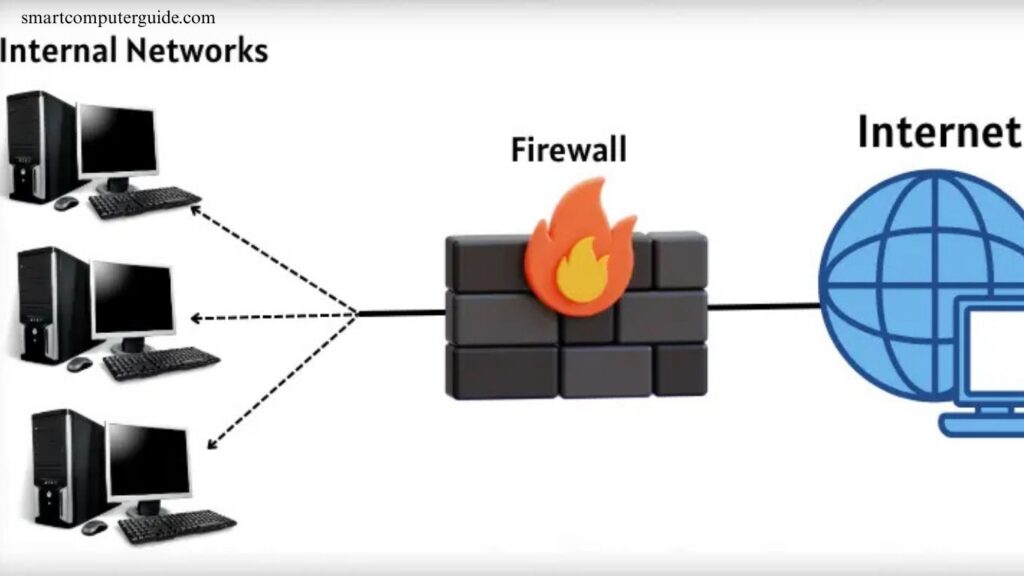
Firewalls are a critical component of computer network security, acting as a barrier between trusted internal networks and untrusted external networks, such as the internet. They monitor and control incoming and outgoing traffic based on predefined security rules, preventing unauthorized access, cyberattacks, and data breaches.
Firewalls come in various types, including hardware, software, and cloud-based solutions, each designed to address specific network security needs. Understanding how firewalls work helps organizations safeguard sensitive information, maintain network integrity, and ensure uninterrupted operations. Implementing an effective firewall strategy is essential for modern cybersecurity in any network environment.
Read More: Discover 25 Internet Safety Tips for Beginners
What Is a Firewall in a Computer Network?
A firewall is a network security system that monitors and controls data between your computer and the internet. It inspects all incoming and outgoing information, allowing safe data to pass while blocking harmful content. By filtering traffic, firewalls protect against unauthorized access, cyber threats, and data breaches, making them essential for secure and reliable network operations.
How Firewalls Work in a Computer Network
A firewall acts as a security guard for your network, monitoring all data entering and leaving your system. It blocks unsafe files and applications while allowing trusted information to pass, ensuring your network remains protected from cyber threats.
Key Functions of a Firewall:
- Monitors Traffic: Inspects every file, message, or request.
- Blocks Threats: Prevents malware, spam, and harmful programs.
- Allows Safe Data: Lets trusted emails, files, and apps through.
- Controls Internet Access: Manages which applications can connect online.
- Alerts Users: Notifies when risky data is blocked.
Types of Firewalls
Firewalls protect computer networks in different ways, each designed to block threats and keep systems secure. Common types include:
- Packet Filtering Firewall: Examines data packets and blocks unsafe ones.
- Stateful Inspection Firewall: Monitors data flow and allows secure connections.
- Proxy Firewall: Hides devices from the internet and filters content.
- Next-Generation Firewall (NGFW): Combines traditional firewalls with advanced security features.
- Software Firewall: Installed on individual computers to prevent threats.
- Hardware Firewall: A physical device that protects multiple networked systems.
Examples of Popular Firewalls
Firewalls are widely used to secure computers and networks. Some popular options include:
- Windows Defender Firewall: Built into Windows to protect PCs.
- Norton Firewall: Guards against viruses, malware, and hackers.
- McAfee Firewall: Blocks harmful programs and secures data.
- Cisco ASA Firewall: Protects office networks and corporate systems.
- Fortinet Firewall: Secures large networks for businesses.
- ZoneAlarm Firewall: User-friendly solution for home computers.
Advantages and Disadvantages of a Firewall
Firewalls safeguard computers from hackers, viruses, and unauthorized access while controlling internet traffic and protecting sensitive data. However, they have limitations.
Advantages:
- Prevents unauthorized access and hacking attempts
- Blocks viruses, malware, and other threats
- Controls which applications access the internet
- Protects personal and sensitive data
- Monitors all incoming and outgoing traffic
Disadvantages:
- Can reduce internet speed
- May accidentally block safe programs
- Requires regular updates
- Cannot prevent all types of cyberattacks
How to Enable the Firewall on Your Computer
Enabling a firewall protects your computer from hackers, viruses, and unauthorized access, keeping your files and programs safe online. Activating it is quick and straightforward.
Steps to Enable Firewall:
- Open the Control Panel on your computer.
- Go to System and Security.
- Click Windows Defender Firewall.
- Select Turn Windows Firewall On or Off.
- Enable it for both private and public networks.
- Click OK to save your settings.
Common Firewall Mistakes to Avoid
Avoiding common firewall mistakes ensures your computer remains secure and fully protected.
Common Mistakes:
- Turning Off the Firewall: Keep it enabled at all times.
- Incorrect Configuration: Avoid changing settings without understanding the impact.
- Ignoring Updates: Regularly update firewall software.
- Allowing All Programs: Only permit trusted applications internet access.
- Ignoring Alerts: Always review warnings and blocked content.
Frequently Asked Questions
What is a firewall?
A firewall is a network security system that monitors and controls incoming and outgoing data to protect computers from unauthorized access and cyber threats.
Why do I need a firewall?
Firewalls safeguard sensitive data, block malware, prevent hacking attempts, and control which applications can access the internet.
What are the main types of firewalls?
Common types include Packet Filtering, Stateful Inspection, Proxy, Next-Generation (NGFW), Software, and Hardware Firewalls.
How does a firewall work?
It inspects all network traffic, blocks unsafe files, allows trusted data, and alerts users about potential threats.
Can a firewall stop all cyberattacks?
No, firewalls reduce risk but cannot prevent all attacks. They work best combined with antivirus and other security measures.
What is the difference between hardware and software firewalls?
Hardware firewalls protect multiple devices in a network, while software firewalls are installed on individual computers.
How do I enable a firewall on my computer?
On Windows, go to Control Panel → System and Security → Windows Defender Firewall → Turn On for both private and public networks.
What mistakes should I avoid with firewalls?
Never turn it off, ignore updates, misconfigure settings, allow all programs unrestricted access, or ignore alerts.
Conclusion
Firewalls are a vital part of computer network security, protecting systems from hackers, malware, and unauthorized access. By monitoring and controlling data flow, they safeguard sensitive information and ensure smooth network operations. Understanding different types of firewalls, their functions, and common mistakes helps users maximize security. Regular updates, proper configuration, and awareness of alerts are key to effective protection.