
Operating systems (OS) are the backbone of every computer, smartphone, and tablet, managing hardware, software, and user interactions. They act as a bridge between the user and the device, ensuring programs run smoothly and efficiently. Different types of operating systems are designed to meet various needs, from personal computing to servers and mobile devices.
Some are user-friendly for everyday tasks, while others focus on performance, security, or multitasking. In this guide, we explore the main types of operating systems, their features, advantages, and examples, helping you understand how each one functions and why it matters.
Read More: Top Examples of Application Software
What AWhat Are the Types of Operating Systems?
Operating systems (OS) are software that manage computer hardware, software, and user interactions. Different types of operating systems define how tasks, users, and devices are managed. Each type has a specific approach designed to meet particular needs, from personal computing to servers, mobile devices, and embedded systems.
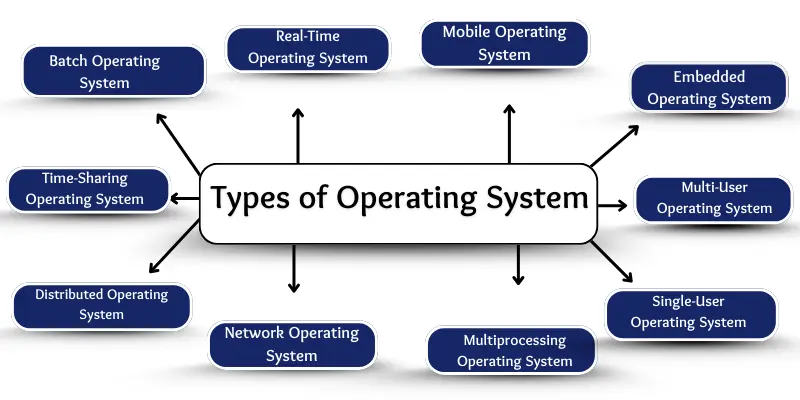
Here are the main types of operating systems:
Batch Operating System
Batch OS collects jobs into batches and executes them sequentially without user interaction. Early computers relied heavily on batch systems.
Importance:
- Saves time by automating tasks
- Handles large jobs efficiently
- Reduces human intervention
- Ideal for repetitive tasks
Time-Sharing Operating System
Time-sharing OS allows multiple users to access a computer simultaneously by sharing CPU time in small intervals.
Importance:
- Supports multiple users at once
- Provides fast responses
- Cost-effective
- Promotes fair resource usage
Distributed Operating System
A distributed OS connects multiple computers to function as a single system, sharing tasks across machines.
Importance:
- Increases processing speed
- Improves reliability
- Optimizes network resources
- Enables collaboration across locations
Network Operating System
Network OS manages computers connected in a network, facilitating file sharing, printer access, and communication.
Importance:
- Simplifies data and resource sharing
- Enhances communication
- Eases administrative control
- Provides network security
Real-Time Operating System (RTOS)
RTOS delivers results within strict time limits, used in critical systems like medical devices, traffic control, and airplanes.
Importance:
- Ensures timely responses
- Supports instant actions
- Enhances accuracy
- Ideal for industrial, defense, and healthcare applications
Mobile Operating System
Mobile OS runs on smartphones and tablets, managing touch input, apps, and device functions. Popular examples include Android and iOS.
Importance:
- Enables app-based productivity and entertainment
- Supports touch, voice, and connectivity
- Ensures mobile security and updates
Embedded Operating System
Embedded OS operates inside small devices like ATMs, cars, or appliances, performing dedicated tasks efficiently.
Importance:
- Automates everyday devices
- Uses minimal memory and energy
- Improves speed and reliability
- Operates without human intervention
Multi-User Operating System
Multi-user OS allows multiple users to access the same computer simultaneously while keeping their tasks separate.
Importance:
- Ensures user privacy
- Saves costs on hardware
- Manages multiple tasks smoothly
- Ideal for offices and universities
Multiprocessing Operating System
Multiprocessing OS uses two or more processors to handle tasks concurrently, enhancing speed and performance.
Importance:
- Boosts system speed
- Supports large applications
- Reduces system crashes
- Efficient multitasking
Single-User Operating System
Single-user OS is designed for one person at a time, commonly found on personal computers and laptops.
Importance:
- Reduces confusion and errors
- Simple and user-friendly
- Fast and efficient for one user
- Cost-effective for personal or small office use
Frequently Asked Questions
What is an operating system?
An operating system (OS) is software that manages computer hardware, software, and user interactions, allowing programs to run efficiently.
How many types of operating systems are there?
There are ten main types: Batch, Time-Sharing, Distributed, Network, Real-Time (RTOS), Mobile, Embedded, Multi-User, Multiprocessing, and Single-User OS.
What is a batch operating system?
A batch OS collects and executes jobs in batches without user interaction, commonly used in early computers for repetitive tasks.
What is the difference between single-user and multi-user operating systems?
Single-user OS supports one person at a time, while multi-user OS allows multiple users to work simultaneously, keeping tasks and data separate.
What is a real-time operating system (RTOS)?
RTOS provides results within strict time limits, essential for applications like medical machines, airplanes, and industrial systems where delays are critical.
What are mobile and embedded operating systems?
Mobile OS runs on smartphones and tablets (e.g., Android, iOS), while embedded OS operates small devices like ATMs, cars, or appliances for specific tasks.
Why is a distributed or network operating system important?
Distributed OS connects multiple computers to work as one system, increasing speed and reliability. Network OS allows resource and data sharing among connected computers.
Conclusion
Operating systems are the backbone of all computing devices, from personal computers to smartphones and industrial machines. Each type of OS whether batch, time-sharing, real-time, mobile, or embedded serves a unique purpose and is designed to meet specific user or system needs. Understanding the different types of operating systems helps users, students, and IT professionals choose the right OS for their devices, optimize performance, and ensure efficient management of tasks and resources.